How to create a new 8D template file
-
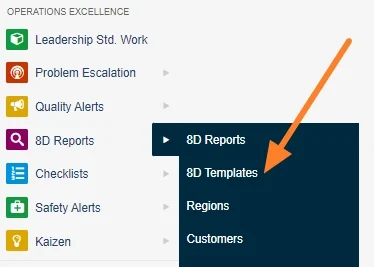
Open the 8D templates. Go to the 8D templates submenu.
-
Add a new template. Click the Add button.

-
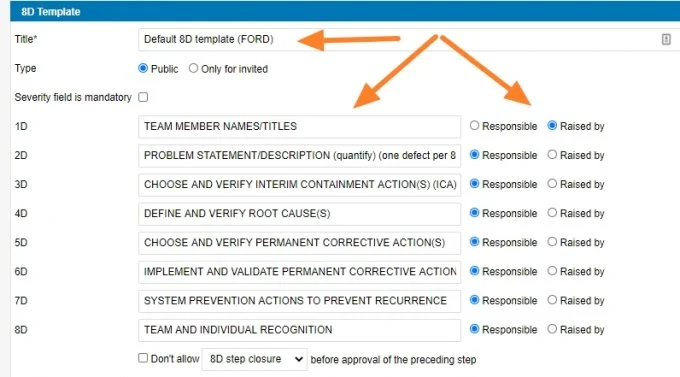
Fill in the template details. Fill in the template name and the other details based on your requirements.
-
Save the template.
Still need help?
Write to us. We usually reply within an hour on business days.