如何创建新的8D模板文件
本文由英文机器翻译。 当前显示英文原文。
-
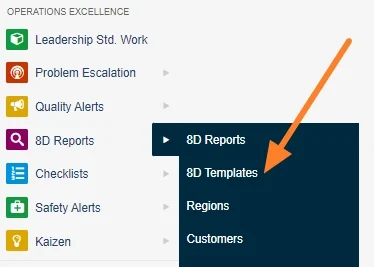
Open the 8D templates. Go to the 8D templates submenu.
-
Add a new template. Click the Add button.

-
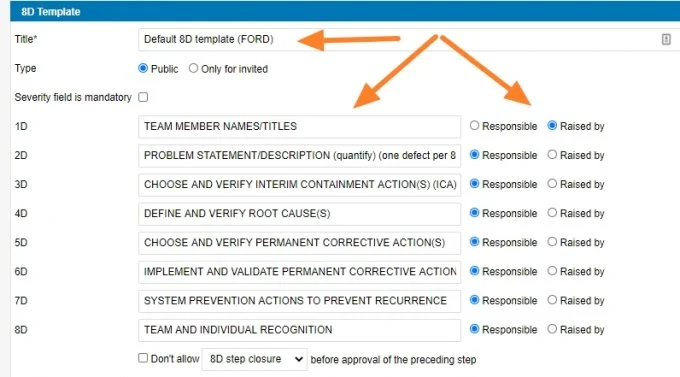
Fill in the template details. Fill in the template name and the other details based on your requirements.
-
Save the template.
-
打开8D模板。 进入 8D模板 子菜单。
-
添加新模板。 点击 添加 按钮。
-
填写模板详细信息。 根据您的需求填写模板名称和其他详细信息。
-
保存模板。
还需要帮助吗?
请给我们留言。工作日我们通常会在一小时内回复。