How to set up a Project Type
Set up project types to suit your needs and assign them to your action lists.
Learn more about how to create an automatic project dashboard based on the project type.
Create a project type
Open the project types
Go to the Action Lists module and select Project Types from the submenu.
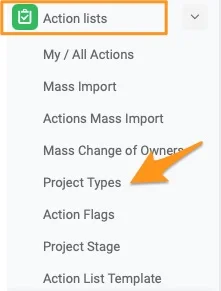
Please note that only users with sufficient rights can add a project stage.
Create or edit a project type
To create a new project type, click the green plus button. To modify an existing list, click the edit pencil.

Fill in the project type
Fill in the title and, if applicable, select a list of project stages.
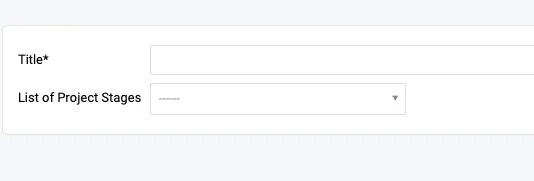
Assign the project type to an action list
Edit the action list settings
Open the settings of your A3 project (action list) with the edit pencil.

Choose the project type
Scroll down to the Settings tab and choose a Project Type from the submenu. You can select from the existing options.
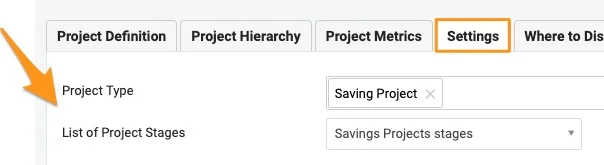
Please note: If you need to create a new project type or list of project stages, or add a project stage to a list, please contact your system administrator or support@teamguru.com.
Still need help?
Write to us. We usually reply within an hour on business days.