Where can the previous document versions be found?
When you click a document, it always opens in its latest version. To view the previous versions:
-
Open the document.
-
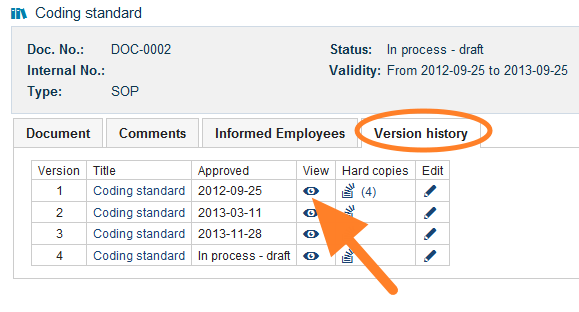
Go to the version history. Open the Version history tab.
-
View a previous version. Click the View icon of the previous version you need.
Still need help?
Write to us. We usually reply within an hour on business days.