How to view all documents within subfolders
To view all documents within a folder and its subfolders:
-
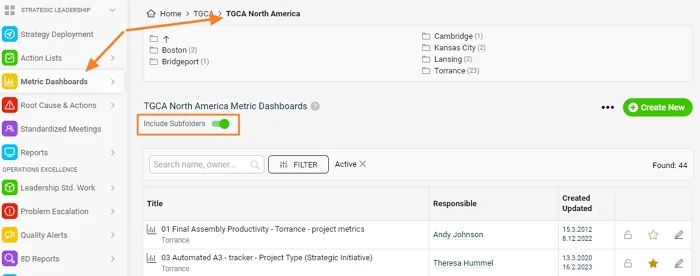
Open the module. Click the relevant module button.
-
Select the main folder. Click the name of the main organization folder.
-
Include the subfolders. Tick the Include Subfolders checkbox.
-
See all documents. You see all documents saved in the main folder and in its subfolders.
Still need help?
Write to us. We usually reply within an hour on business days.