How to generate a draft of an X-matrix with AI
Not sure how to start? Let TeamGuru AI propose a first draft of your goals, priorities and KPIs, then keep what fits and edit the rest.
This feature is available only if the AI feature X-matrix generator is enabled for your TeamGuru. If you do not see the button below, ask your administrator.
Generate a draft
- Click Edit above the matrix (or Edit strategic plan in the Strategic Plan view).
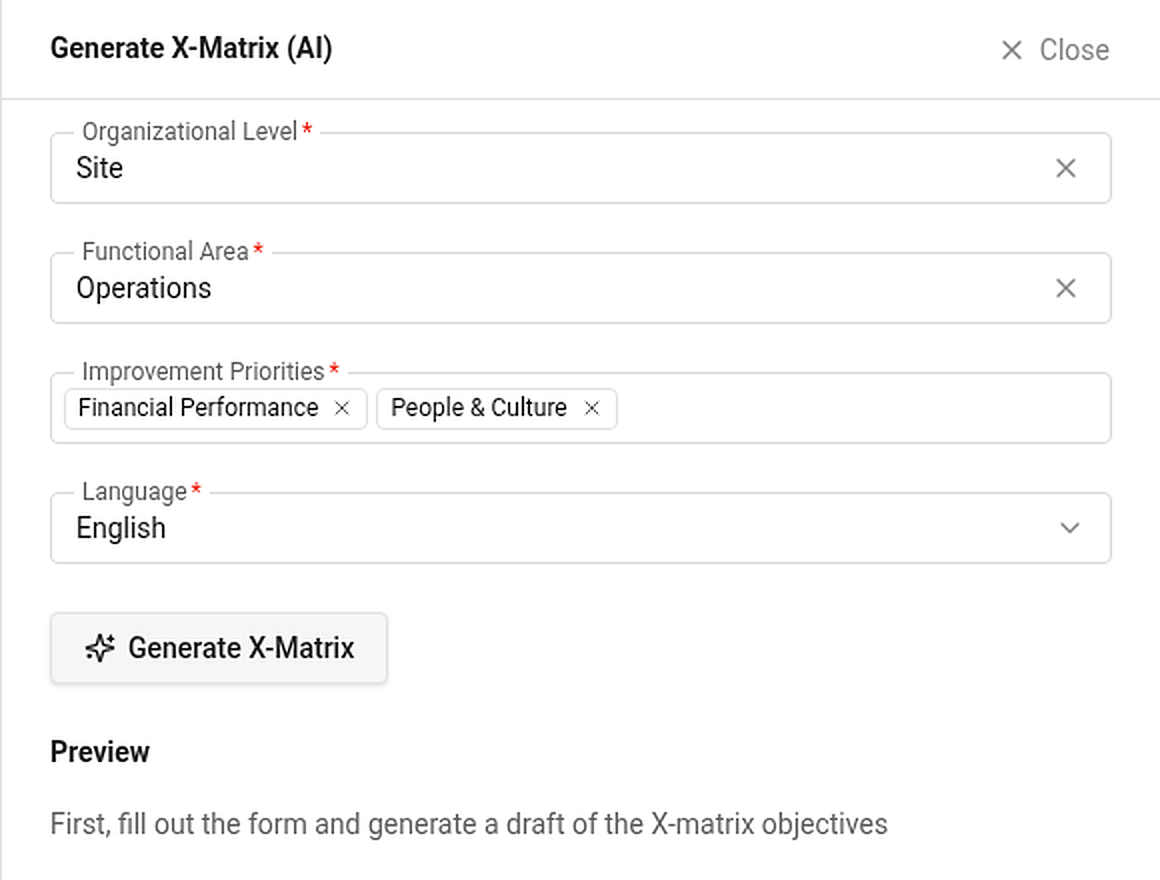
- Click Generate X-Matrix (AI) in the bar above the matrix. A panel opens on the right.
- Fill in the form:
- Organizational Level – the level of the plan (for example Site).
- Functional Area – for example Operations.
- Improvement Priorities – one or more strategic focuses.
- Language – the language of the proposal.
- Click Generate X-Matrix. The proposal appears in the Preview: proposed items for each of the four lists, each with the items above it that it supports.
- Tick the items you want and add them. They are appended to your matrix as unsaved changes and linked under the parents you picked. Titles are shortened to the maximum length of the list.
Nothing is saved until you click Done. Cancel throws the whole draft away. The proposal is only a starting point – review and rewrite it with your team.