如何在报告中添加图片
本文由英文机器翻译。 当前显示英文原文。
To insert a picture into your report, follow these steps:
-
Open the slide in edit mode. Click the Edit icon on the slide.

-
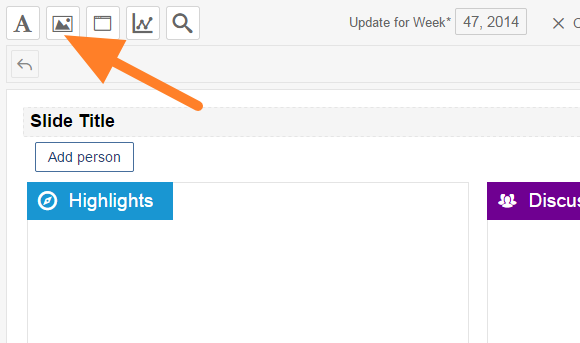
Insert a picture. Click the Insert picture icon (image).
-
Upload the picture. Upload a picture from your computer.
-
Adjust the picture. Resize the picture and move it to the desired place.
要在报告中插入图片,请按以下步骤操作:
-
进入幻灯片编辑模式。 点击幻灯片上的 编辑 图标。
-
插入图片。 点击 插入图片 图标(图像)。
-
上传图片。 从计算机上传图片。
-
调整图片。 调整图片大小并将其移到所需位置。
还需要帮助吗?
请给我们留言。工作日我们通常会在一小时内回复。