File template for Mass import of your project and actions
To upload a project (action list) or its actions from a CSV file, you first need to create a file template.
Create a file template
-
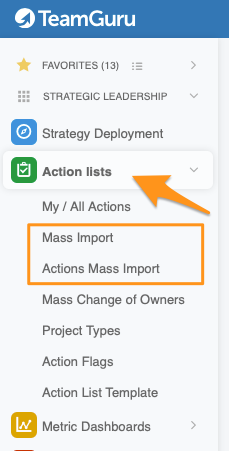
Open the mass import. In the Action Lists module, select from the submenu either Mass Import (to upload project headers and their entities) or Actions Mass Import (to upload project actions).
-
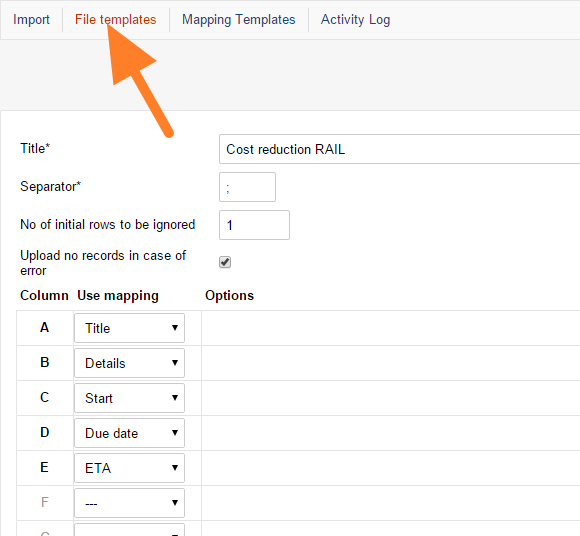
Add a file template. Go to File templates and click the add icon.

-
Name the template. Enter a template name (Title) and choose the separator used in your CSV files (usually a comma or semicolon).
-
Map the columns. Specify what information each column of your file contains.
-
Save the template. Click Save & Return.
-
Reuse the template. You can use the template for mass upload of actions as many times as you need.
Still need help?
Write to us. We usually reply within an hour on business days.