Comment ajouter un point ou un participant à une seule réunion ?
Traduction automatique de l'anglais. Original en anglais affiché.
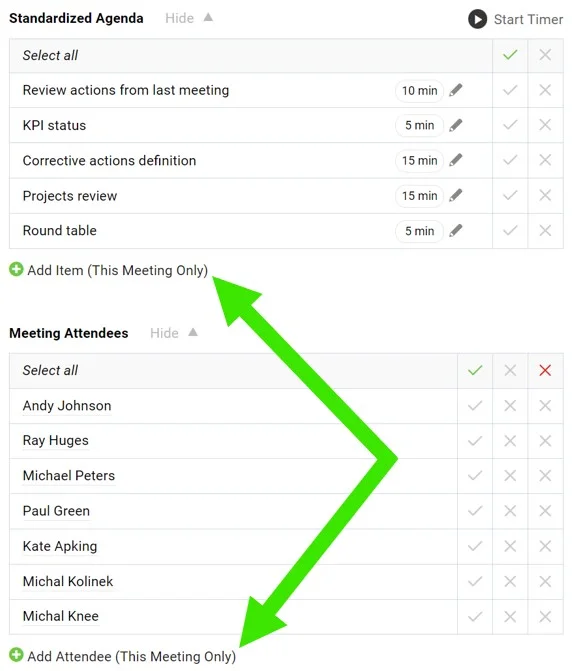
You can add a one-off meeting topic or an irregular attendee directly on your main meeting screen.
Add an item or attendee
Click the Add Item or Add Attendee (This Meeting Only) button. These items appear in the currently open meeting only.
Vous pouvez ajouter un sujet ponctuel ou un participant occasionnel directement sur l’écran principal de la réunion.
Ajouter un point ou un participant
Cliquez sur le bouton Ajouter un point ou Ajouter un participant (cette réunion uniquement). Ces éléments n’apparaissent que dans la réunion actuellement ouverte.
Besoin d'aide supplémentaire ?
Écrivez-nous. Les jours ouvrés, nous répondons en général en moins d'une heure.