How to change time format - 12 hrs or 24 hrs?
You can change the time format in your profile.
Open your profile
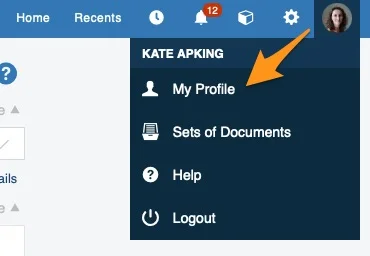
Click your profile in the upper right corner and choose My Profile from the submenu.
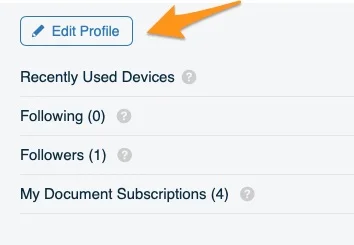
Edit your profile
Click the Edit Profile button.
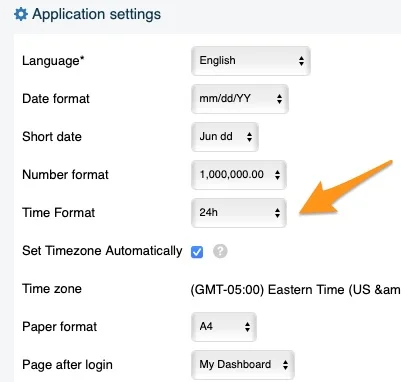
Choose the time format
Change the time format to your preference.
Note for system administrators: TG support administrators can set the time format for the whole instance according to your preference. However, the change affects only new users: existing users have to adjust the time format in their own profile.
Still need help?
Write to us. We usually reply within an hour on business days.