如何更改时间格式(12小时制或24小时制)
本文由英文机器翻译。 当前显示英文原文。
You can change the time format in your profile.
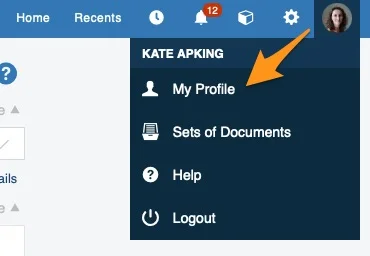
Open your profile
Click your profile in the upper right corner and choose My Profile from the submenu.
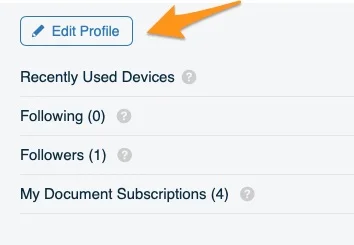
Edit your profile
Click the Edit Profile button.
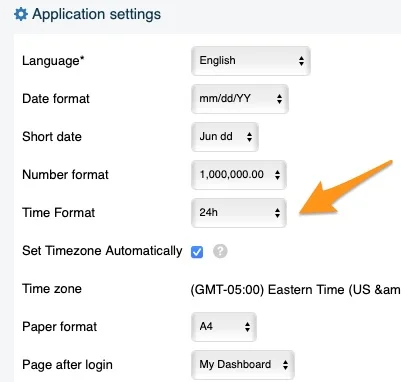
Choose the time format
Change the time format to your preference.
Note for system administrators: TG support administrators can set the time format for the whole instance according to your preference. However, the change affects only new users: existing users have to adjust the time format in their own profile.
您可以在个人资料中更改时间格式。
打开个人资料
点击右上角的个人资料,从子菜单中选择我的个人资料。
编辑个人资料
点击编辑个人资料按钮。
选择时间格式
根据您的偏好更改时间格式。
系统管理员请注意:TeamGuru支持团队的管理员可以按照您的偏好为整个实例设置时间格式。但此更改只影响新用户:现有用户需要在自己的个人资料中调整时间格式。
还需要帮助吗?
请给我们留言。工作日我们通常会在一小时内回复。