How to link X-matrices into a plan hierarchy
Large organisations cascade strategy: a corporate plan, a plant plan, a department plan. The Plan hierarchy in the Main objective panel shows where your plan fits – the plan above it (↱) and the plans below it (↳).

How plans become connected
There are two ways, and both are shown in the hierarchy:
- Through a priority – a priority of the parent plan points to your plan as its child X-matrix (see How to link priorities to projects). This is the usual way: the child plan then also counts towards the status of that priority.
- As a whole – the whole X-matrix is linked to another X-matrix, without a link to a particular priority.
Link a plan as a whole
- In the Main objective panel click Edit.
- Next to No parent plan or No child plans click Assign.
- Choose the X-matrix. You can only pick plans you may open, never the plan itself and never a plan that would make the hierarchy circular.
- Click Done.
To remove a link made this way, remove the plan from the hierarchy in the same edit mode and click Done. A link made through a priority is changed in the row of that priority.
Read the hierarchy
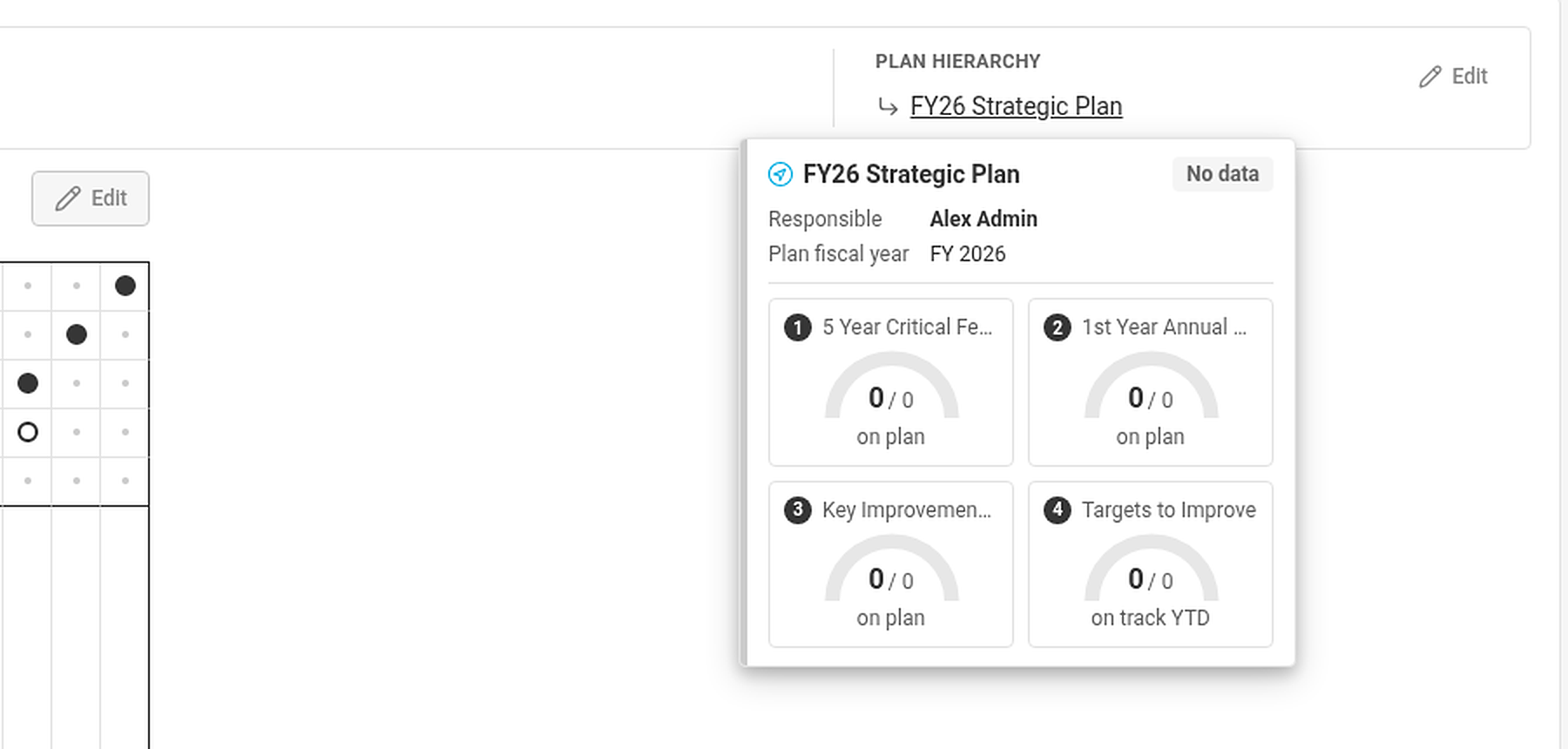
Hover over a linked plan to see a summary card: owner, plan year, overall status and the gauges of its four lists. Plans you are not allowed to open are shown as Hidden document. If there are more than three plans on a line, the rest is behind +N more.
Plan expectations
A plan that sits under a priority of a parent plan also shows What the parent plan expects – the key priorities and KPIs of the parent plan that this X-matrix can support – while your own plan is not complete.