How to create a metric dashboard in a matrix format
The matrix format is great for tracking the same metrics across multiple org. units.
-
Open the dashboard settings. Click the Edit icon of your metric dashboard.

-
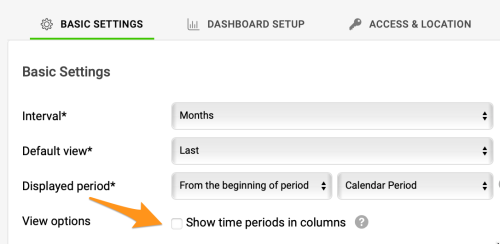
Keep time periods in rows. Leave the Show time periods in columns checkbox unchecked.
-
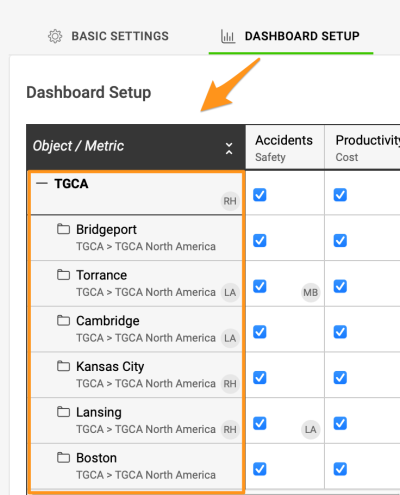
Add several org. units. Add more than one organization unit.
-
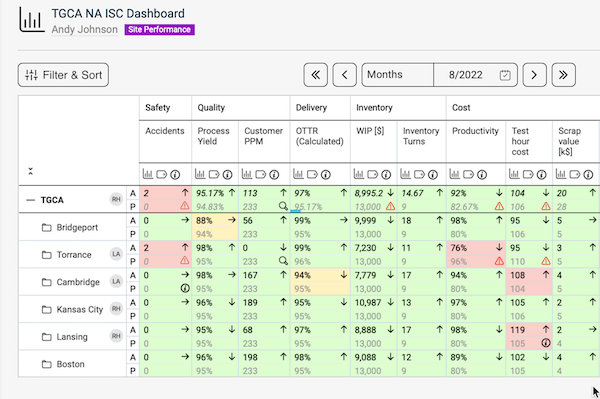
Save the dashboard. Click Save & Return. The matrix format dashboard is displayed as in the image below.
Still need help?
Write to us. We usually reply within an hour on business days.