Metric usage overview
In the metric settings, you can view a list of the documents where your metric is used.
-
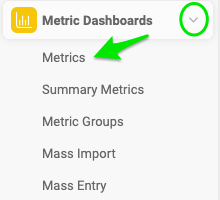
Open the metrics list. Go to the Metric Dashboards module and select Metrics from the submenu.
-
Edit the metric. Click the edit icon next to your metric.

-
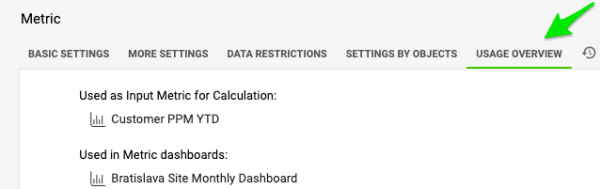
View the documents. Either click Show Documents List on the Basic Settings tab, or go to the Usage Overview tab.

Still need help?
Write to us. We usually reply within an hour on business days.