Prehľad použitia metriky
Strojový preklad z angličtiny. Zobrazený je anglický originál.
In the metric settings, you can view a list of the documents where your metric is used.
-
Open the metrics list. Go to the Metric Dashboards module and select Metrics from the submenu.
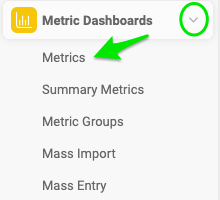
-
Edit the metric. Click the edit icon next to your metric.

-
View the documents. Either click Show Documents List on the Basic Settings tab, or go to the Usage Overview tab.

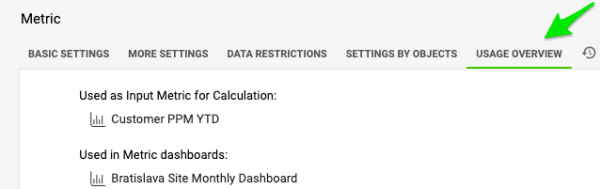
V nastaveniach metriky môžete zobraziť zoznam dokumentov, v ktorých sa metrika používa.
-
Otvorte zoznam metrík. Otvorte modul KPI dashboardy a v podmenu vyberte Metriky.
-
Upravte metriku. Kliknite na ikonu úprav vedľa metriky.
-
Zobrazte dokumenty. Kliknite na Zobraziť zoznam dokumentov na karte Základné nastavenia alebo prejdite na kartu Prehľad použitia.
Potrebujete ďalšiu pomoc?
Napíšte nám. V pracovné dni zvyčajne odpovedáme do hodiny.