指标使用概览
本文由英文机器翻译。 当前显示英文原文。
In the metric settings, you can view a list of the documents where your metric is used.
-
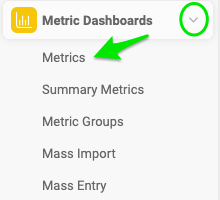
Open the metrics list. Go to the Metric Dashboards module and select Metrics from the submenu.
-
Edit the metric. Click the edit icon next to your metric.

-
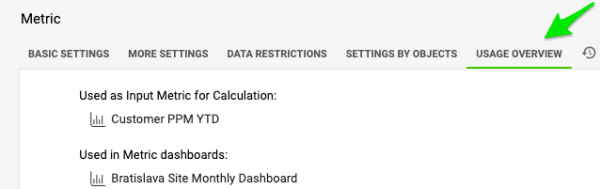
View the documents. Either click Show Documents List on the Basic Settings tab, or go to the Usage Overview tab.

在指标设置中,您可以查看使用该指标的文档列表。
-
打开指标列表。 进入 指标仪表板 模块,在子菜单中选择 指标。
-
编辑指标。 点击指标旁边的 编辑 图标。
-
查看文档。 在 基本设置 选项卡中点击 显示文档列表,或进入 使用概览 选项卡。
还需要帮助吗?
请给我们留言。工作日我们通常会在一小时内回复。