Can I add related documents (instructions) into a particular skill?
Yes, you can attach a document as follows:
-
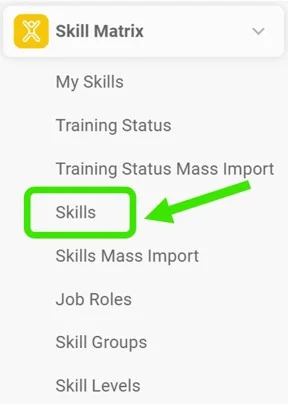
Open the skills. Go to Skills in the Skill Matrix submenu.
-
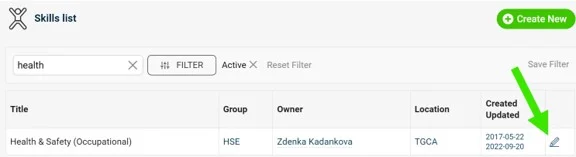
Edit the skill. To edit an existing skill, click the blue edit pencil to the right of the skill you want to add documents to. If you are adding a new skill, see how and where to add documents in How to create a new skill.
-
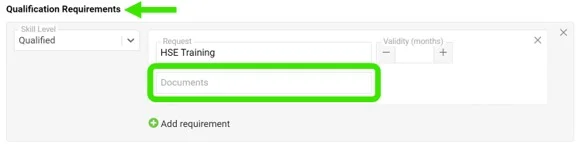
Add the documents to the requirements. Scroll down to Qualification Requirements. Here you can select internal TeamGuru documents, including those in the Documents module, for any instructions, SOPs or relevant qualification material. Multiple documents can be saved to each qualification requirement.
Still need help?
Write to us. We usually reply within an hour on business days.