How to create a new skill?
Defining skills is the first step to creating a new skill matrix. (Video guide: learn how to create skills – 7:49)
To create a new skill, follow these steps:
-
Open the skills. Go to the Skill Matrix > Skills submenu.
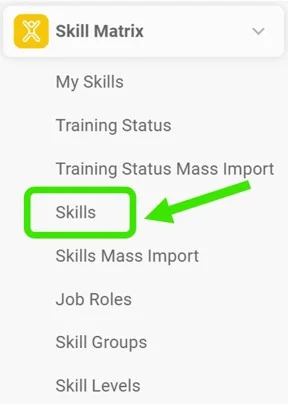
-
Click Create New. Click the Create New icon.

-
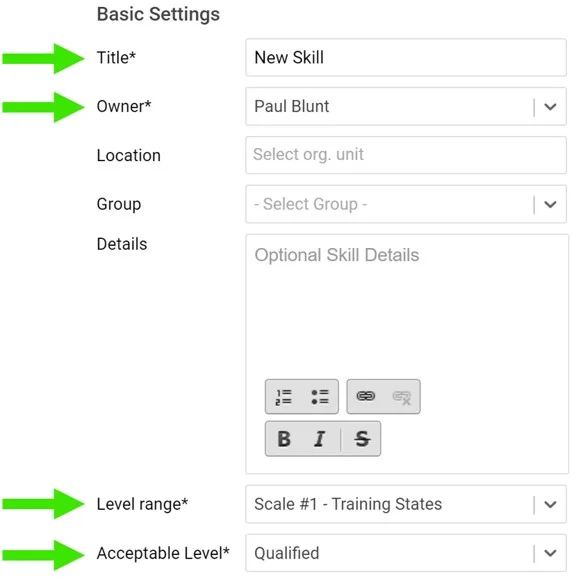
Fill in the required fields. Fill in the skill title and the required fields as shown below:
-
Add the skill requirements. Add your skill requirements:
- First choose a skill level. Two levels are predefined: qualified and trainer. You can create more levels if needed: go to the Skill Matrix menu, the Skill Levels submenu, and add a new level.
- Here you can also add details for your request and the validity of the skill requirements. If the skill requires knowledge of a document saved in the Documents module (SOP, work instructions, etc.), you can attach the document here. The document then appears in your skill matrix as required knowledge.

Still need help?
Write to us. We usually reply within an hour on business days.