Training Status Mass Import
Update your users’ skills more efficiently with a mass upload. You can update the skill, the level achieved, the status or the expiration date.
-
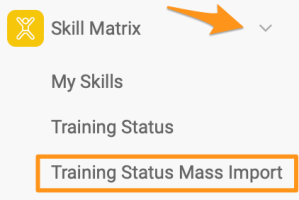
Open the mass import. In the Skill Matrix module submenu, select Training Status Mass Import.
Please note that sufficient rights are required to use this feature.
-
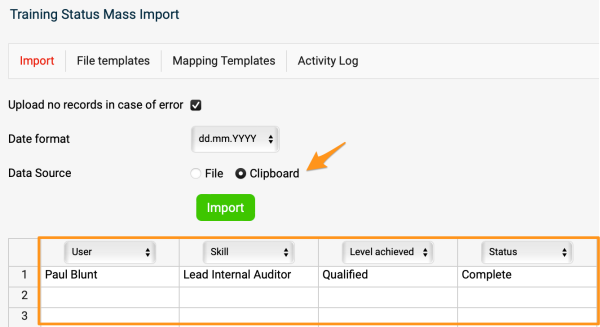
Define the column headers. Select Clipboard and define the column headers (e.g. User, Skill, etc.).
-
Enter the employee data. Enter the employee information into the rows (you can copy and paste it if needed).
-
Import the data. Click the Import button.
-
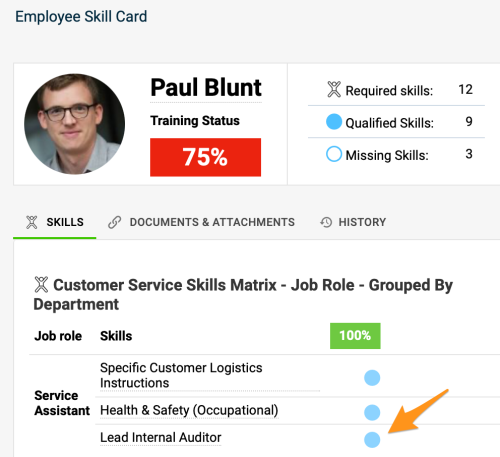
Check the updated skills. The skill is updated in your skill matrices and also in the employees’ skill cards.
Still need help?
Write to us. We usually reply within an hour on business days.