How to track the attendees and meeting agenda history
-
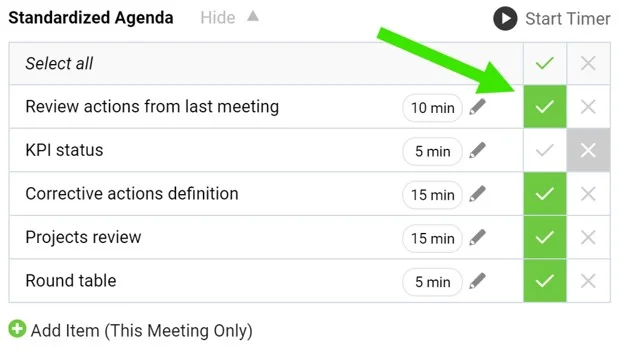
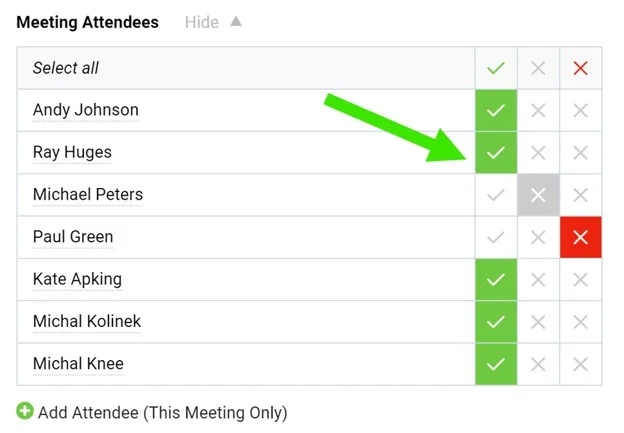
Tick the agenda and attendees. When running a meeting, tick the agenda points that have been discussed as well as the attendees.
-
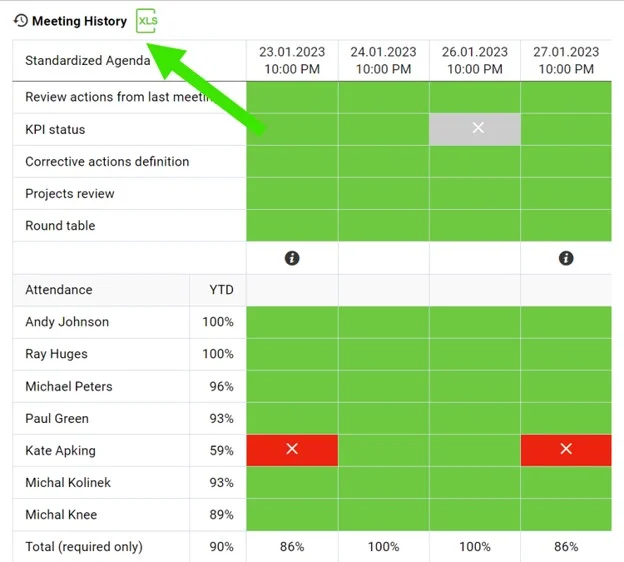
Open the meetings history. Click the Meetings history link to view the dashboard of past meetings. Export it to XLS if needed.
-
Read the color coding. The agenda completion and attendance are color coded.
-
Compare the meetings. Each column stands for one meeting occurrence.
Still need help?
Write to us. We usually reply within an hour on business days.