如何查看参会人员和会议议程的历史记录
本文由英文机器翻译。 当前显示英文原文。
-
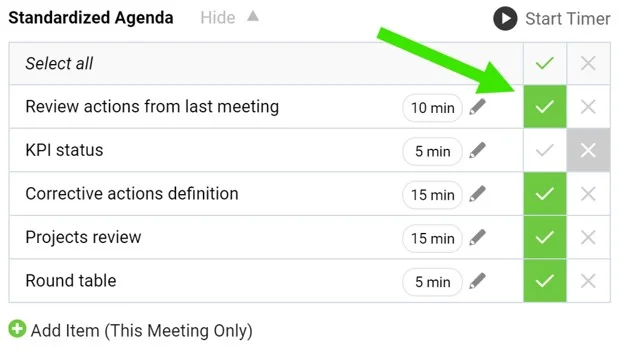
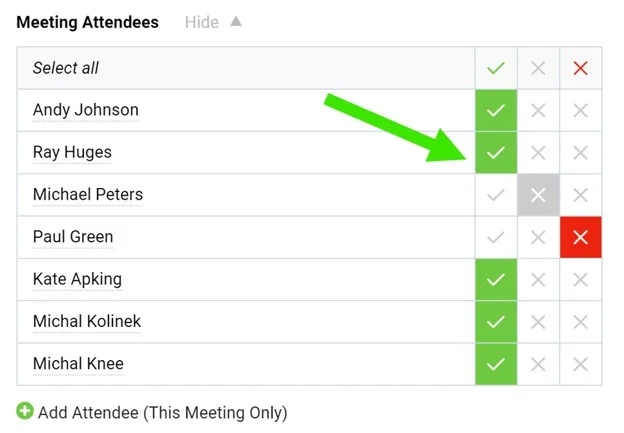
Tick the agenda and attendees. When running a meeting, tick the agenda points that have been discussed as well as the attendees.
-
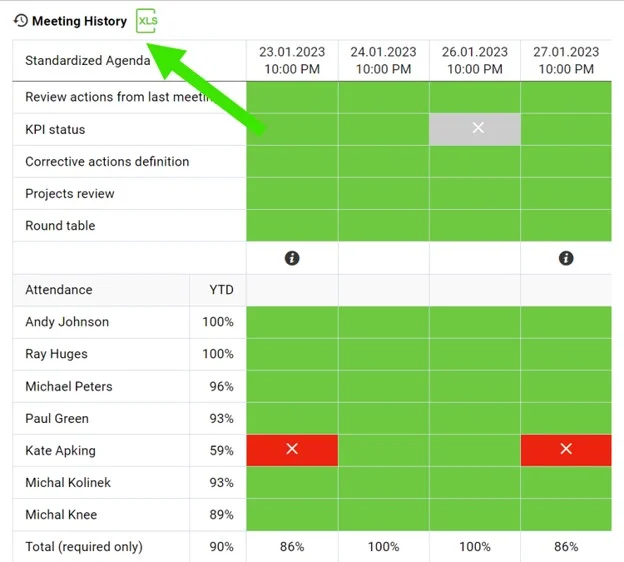
Open the meetings history. Click the Meetings history link to view the dashboard of past meetings. Export it to XLS if needed.
-
Read the color coding. The agenda completion and attendance are color coded.
-
Compare the meetings. Each column stands for one meeting occurrence.
-
勾选议程和参会人员。 召开会议时,勾选已讨论的议程项和出席的参会人员。
-
打开会议历史。 点击 会议历史 链接,查看以往会议的汇总看板。如有需要,可导出为XLS。
-
查看颜色标识。 议程完成情况和出勤情况以不同颜色标识。
-
对比各次会议。 每一列代表一次会议。
还需要帮助吗?
请给我们留言。工作日我们通常会在一小时内回复。