如何将文档添加到收藏夹
本文由英文机器翻译。 当前显示英文原文。
Mark your frequently used documents as Favorites and access them easily from the left navigation bar.
-
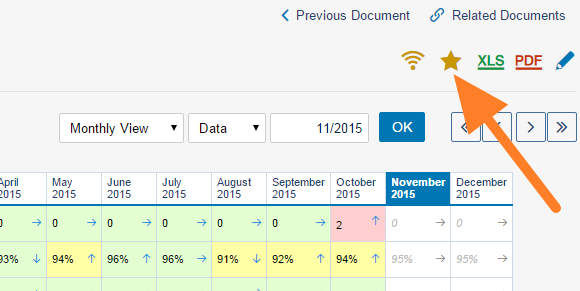
Add the document to Favorites. Find the document under the relevant module and organization unit, and click the yellow star.
-
Open it from Favorites. Your favorite document then appears in the Favorites section.
Edit your Favorites
Click the edit button right next to Favorites. You can then sort your favorites (drag and drop) or remove them as you like.


将常用文档加入 收藏夹,即可从左侧导航栏快速打开。
-
将文档加入收藏夹。 在相应的模块和组织单元中找到该文档,点击黄色星标。
-
从收藏夹打开。 该文档随即出现在 收藏夹 部分。
编辑收藏夹
点击 收藏夹 旁边的编辑按钮。您可以按需对收藏的文档排序(拖放)或将其移除。
还需要帮助吗?
请给我们留言。工作日我们通常会在一小时内回复。