如何更改密码
本文由英文机器翻译。 当前显示英文原文。
-
Open your profile. Go to My Profile by clicking your photo in the upper right corner.

-
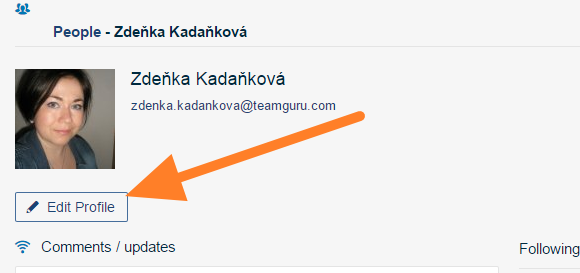
Edit your profile. Click the Edit Profile button.
-
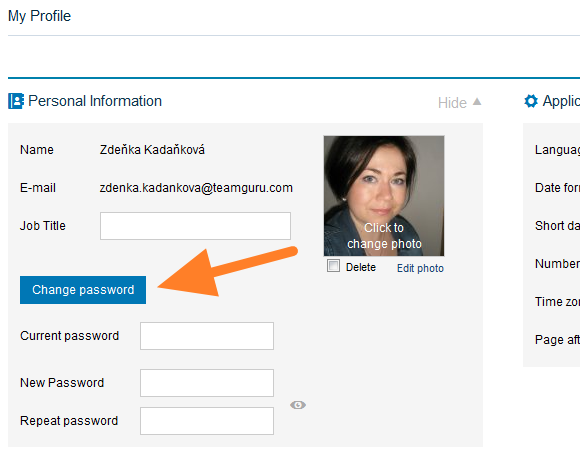
Enter the new password. Select Change password and fill in your current password and the new password in the fields provided.
-
Save the change. Save your profile.
-
打开个人资料。 点击右上角的头像,进入 我的资料。
-
编辑个人资料。 点击 编辑资料 按钮。
-
输入新密码。 选择 更改密码,在相应字段中填写当前密码和新密码。
-
保存更改。 保存您的个人资料。
还需要帮助吗?
请给我们留言。工作日我们通常会在一小时内回复。