AI-generated project plans
AI-driven insights have mapped out key project focus areas for each department to help you get started with clarity. In a few clicks, you can generate structured, field-tested project plans tailored to your department’s needs and transformation goals.
Generate a project plan
-
Go to your project. Navigate to the project where you want to generate the plan.
-
Open the three-dot menu. Click the ellipsis icon, then choose Generate Project Plan.
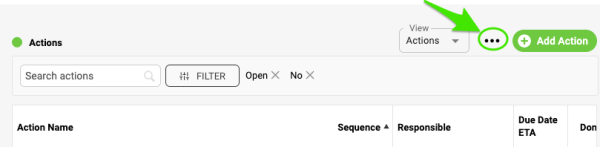
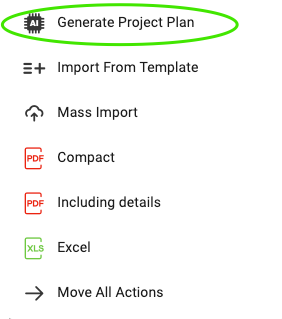
-
Choose your criteria. Select the criteria that match your department’s focus areas and click Generate Plan.
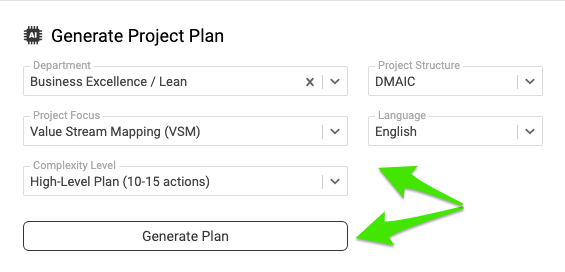
-
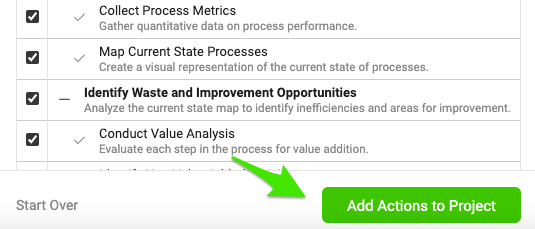
Review the suggested actions. A preview of the suggested actions appears. Review them to make sure they meet your needs.
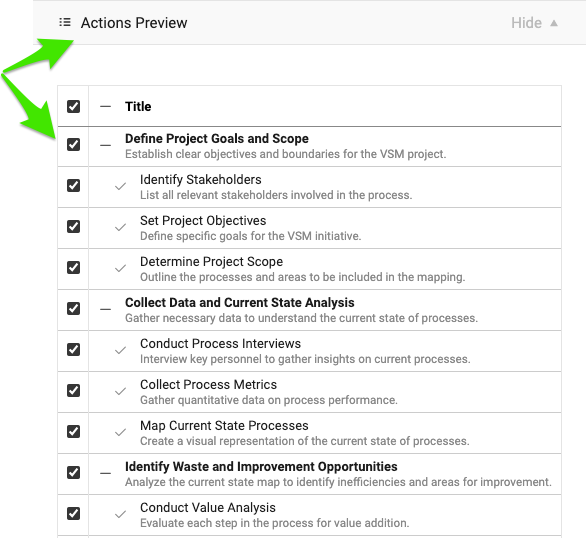
-
Select or deselect actions. Select all suggested actions, or leave some out based on your preferences.
-
Add the actions to the project. Once you are happy with the selection, click Add Actions to Project.
Note: You can add or remove actions at any time as your project evolves. Now you’re all set to track your project’s progress.
Still need help?
Write to us. We usually reply within an hour on business days.