How to set up cost centers for each part of the organization structure?
A TeamGuru administrator has the right to assign cost centers to each part of your organization structure. Document charges can then be split into several cost centers according to the monthly summary report. Cost centers are assigned in the organization structure:
-
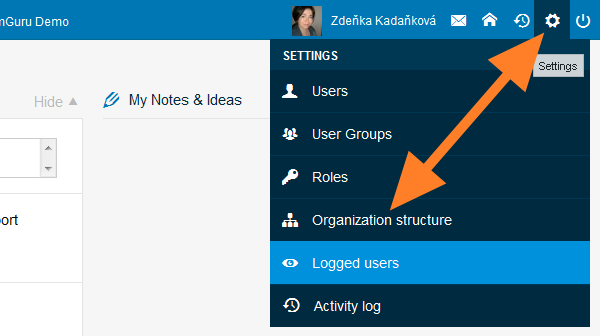
Open the organization structure. Go to the Organization Structure menu.
-
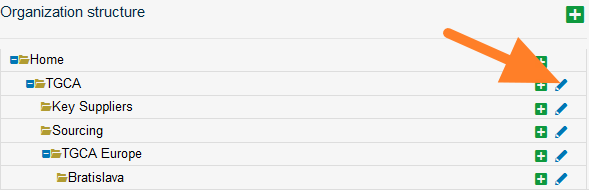
Edit the organization unit. Click the edit icon of the organization unit.
-
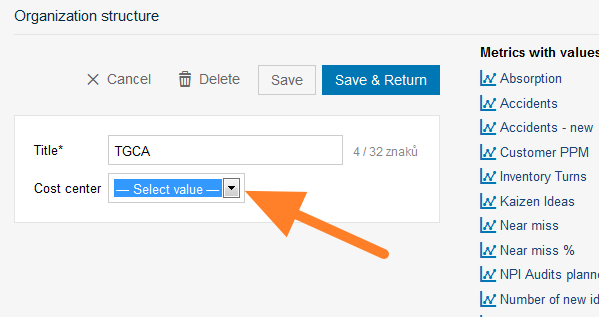
Select the cost center. Select the cost center and save.
Documents in a subfolder are counted toward the cost center of its main folder, unless the subfolder has been assigned a different one.
For example, if the Liverpool subfolder has a different cost center than TGCA Europe, all documents under Liverpool and its subfolders are assigned to the Liverpool cost center. If Livigno – Engines has no cost center assigned, it is automatically counted toward its main folder, TGCA Europe.
Still need help?
Write to us. We usually reply within an hour on business days.