User roles overview
The following features let you search for specific rights among the existing roles in the system and view all roles and privileges in a unified display, so you can manage and review every detail from a single place.
Search for specific rights among the roles
-
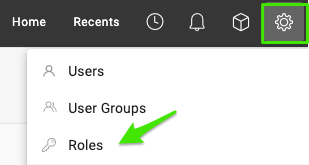
Open the roles. Go to Settings and select Roles.
-
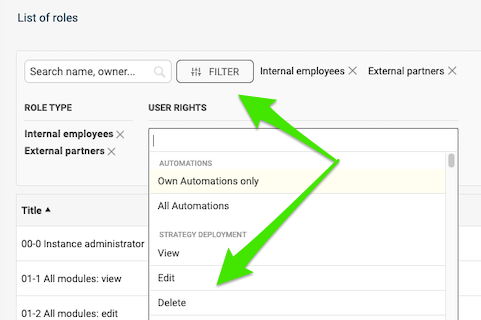
Filter by rights. Click Filter, select your criteria and choose the specific rights you want to check.
-
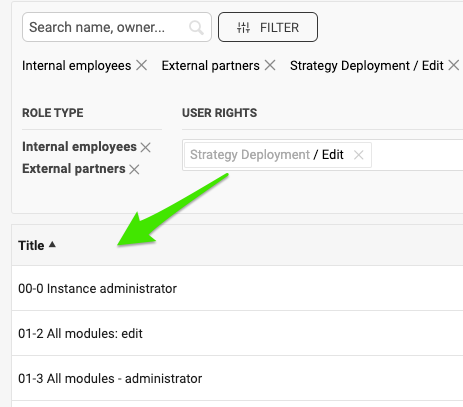
Review the matching roles. View all the roles configured with these rights.
Compare roles and privileges
-
Open the roles. Go to Settings and select Roles.
-
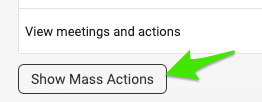
Show the mass actions. Scroll down the list of roles and click Show Mass Actions.
-
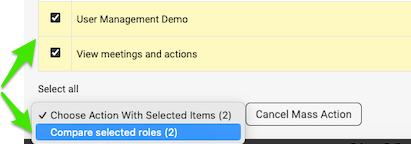
Select the roles to compare. Tick the box next to the roles you want to view and compare. Then click Compare selected roles in the submenu.
-
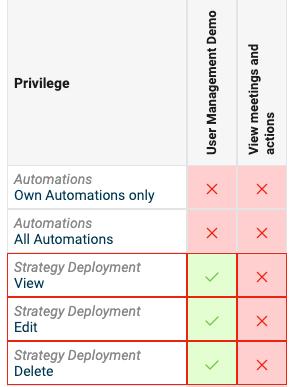
Review the comparison. View the roles displayed for comparison.
Still need help?
Write to us. We usually reply within an hour on business days.