How to display and print an individual dashboard for a supplier / org. unit from the main dashboard
When you use a summary dashboard and need to view or print the results for one particular org. unit or supplier only, follow these steps:
-
Open the matrix dashboard. Go to your matrix format dashboard (see How to create a metric dashboard in a matrix format).
-
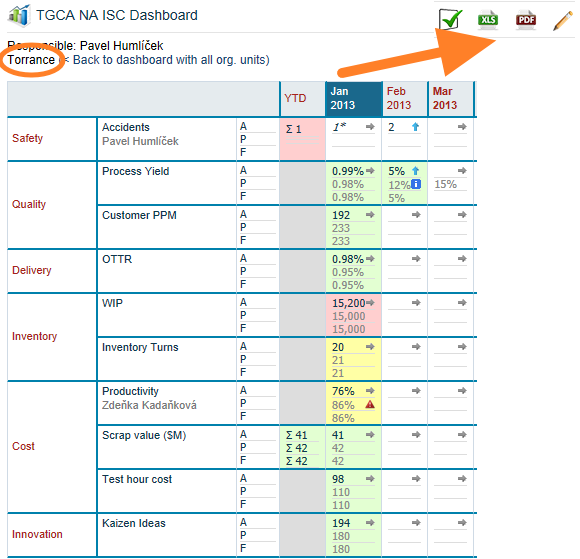
Click the org. unit or supplier. Click the particular org. unit or supplier.
-
View or print the dashboard. The individual dashboard is displayed, and you can print it to a PDF or MS Excel file.
Still need help?
Write to us. We usually reply within an hour on business days.