如何从主仪表板显示和打印单个供应商/组织单元的仪表板
本文由英文机器翻译。 当前显示英文原文。
When you use a summary dashboard and need to view or print the results for one particular org. unit or supplier only, follow these steps:
-
Open the matrix dashboard. Go to your matrix format dashboard (see How to create a metric dashboard in a matrix format).
-
Click the org. unit or supplier. Click the particular org. unit or supplier.
-
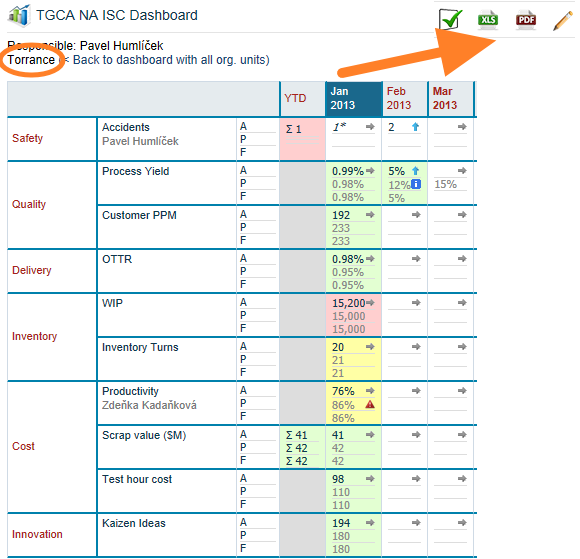
View or print the dashboard. The individual dashboard is displayed, and you can print it to a PDF or MS Excel file.
使用汇总仪表板时,如果只需查看或打印某一个组织单元或供应商的结果,请按以下步骤操作:
-
打开矩阵仪表板。 进入矩阵格式的仪表板(参见如何创建矩阵格式的指标仪表板)。
-
点击组织单元或供应商。 点击相应的组织单元或供应商。
-
查看或打印仪表板。 系统会显示该对象的单独仪表板,您可以将其打印为PDF或MS Excel文件。
还需要帮助吗?
请给我们留言。工作日我们通常会在一小时内回复。