Metric Definition & Related Documents
Make your metric definition clear, easily accessible and visible in all the dashboards where the metric is used. It helps your employees understand how to report data correctly while following your company’s standardized procedures. You can also link your metrics to related documents (internal or external).
Watch the video guide, or follow the text instructions below.
View the metric definition
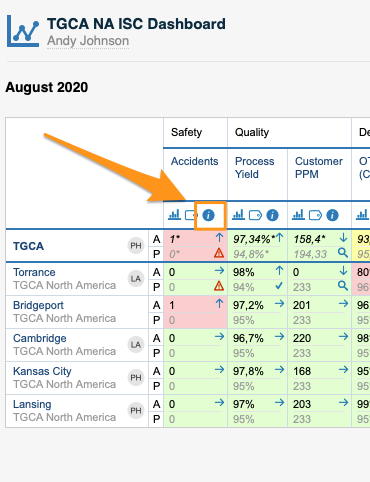
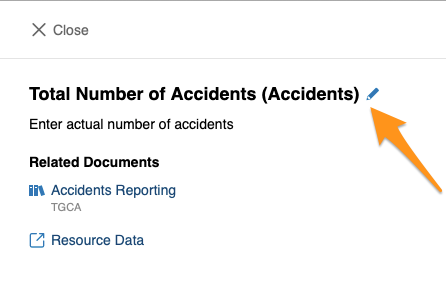
To view your metric definition, click the blue circle i button. You then see the title of your metric, its definition and the linked documents.
Edit the metric definition
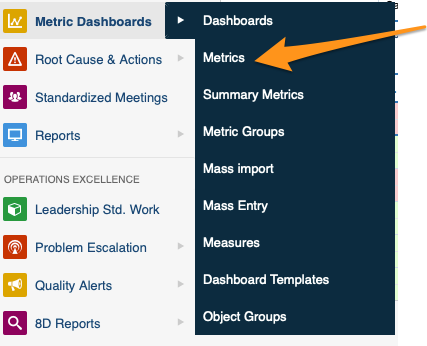
You can edit your metric definition either directly from your dashboard, or in the metric’s settings in the Metric Dashboards module. You need sufficient rights to make any modifications.
Link related documents
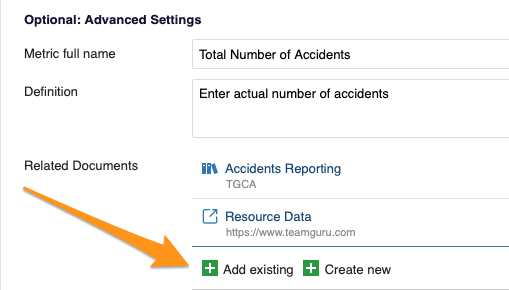
In Optional: Advanced Settings, you can link your metric either to existing documents within TeamGuru or to an external link.
Still need help?
Write to us. We usually reply within an hour on business days.