Severity Flags
You can highlight your Quality Alert, 8D and RCCA documents with a severity flag. Once your documents are marked, you can also filter them by flag.
You can either select one of the already existing flags, or create and customize your own flag (a sufficient role is needed).
Mark a document with a flag
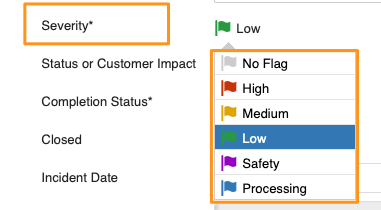
Select the flag from the options in the Severity field.
Filter documents by flag
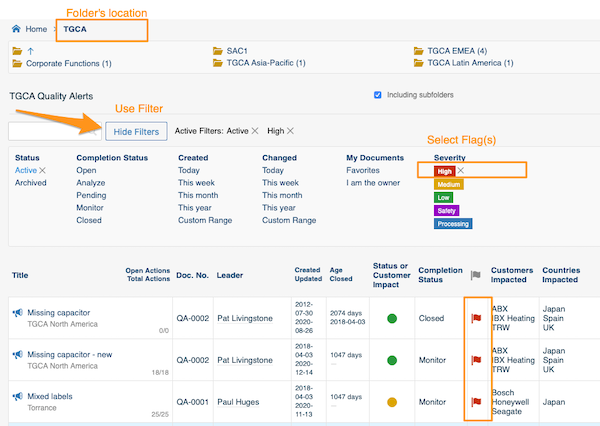
Select your folder, click Show filters and choose the flag. You will then see all the documents in the system that match your folder’s location and the selected flag(s).
Create a custom flag
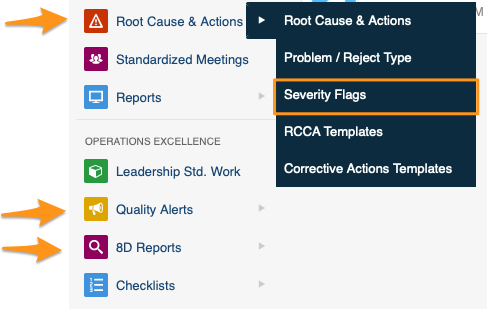
Sufficient rights are required. Click your module (Root Cause & Actions, Quality Alerts or 8D Reports) and choose Severity Flags from the submenu.
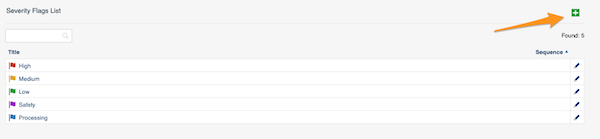
Then click the green plus button in the upper right corner and create your flag.
Still need help?
Write to us. We usually reply within an hour on business days.