Ako zmeniť veľkosť písma
Strojový preklad z angličtiny. Zobrazený je anglický originál.
To change the size of the letters in a text, follow these steps:
-
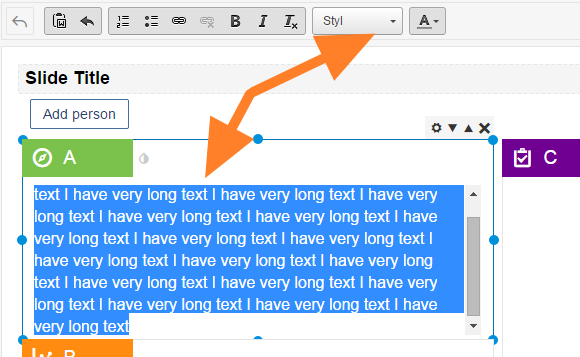
Open the Style box. Select the text you want to change and click the Style drop-down box.
-
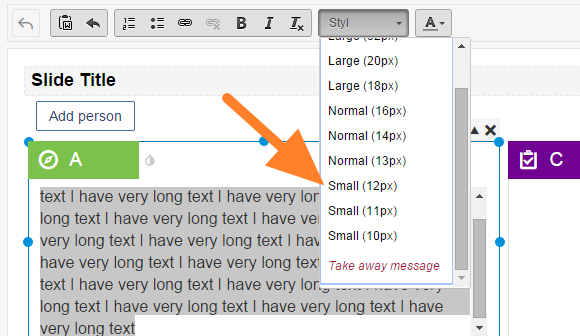
Select the font size. Select the required font size.
Veľkosť písma v texte zmeníte takto:
-
Otvorte pole Štýl. Označte text, ktorý chcete zmeniť, a kliknite na rozbaľovacie pole Štýl.
-
Zvoľte veľkosť písma. Vyberte požadovanú veľkosť písma.
Potrebujete ďalšiu pomoc?
Napíšte nám. V pracovné dni zvyčajne odpovedáme do hodiny.