How can I change skill status?
-
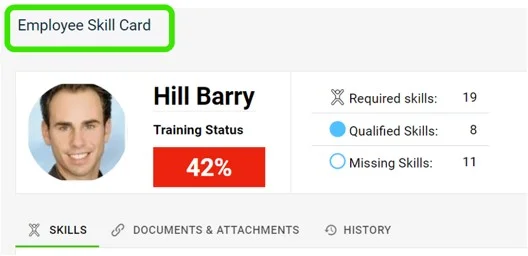
Find the skill on the skill card. Go to the employee’s skill card and scroll down to the skill that needs updating.
-
Click the progress circle. Click the progress circle next to the skill you want to update.
-
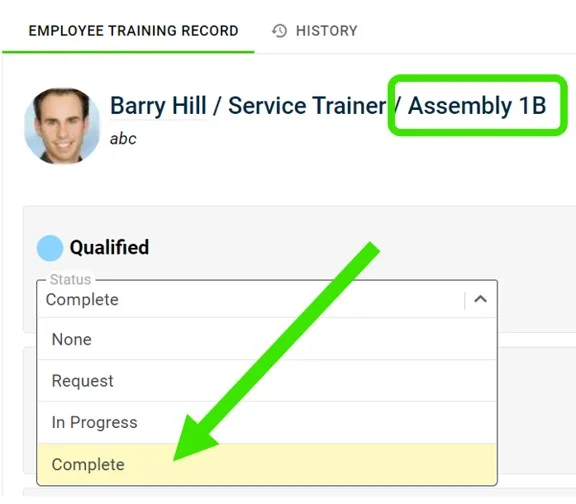
Open the status drop-down. Click the status drop-down of each requirement, as shown:
-
Select the complete status. Click the complete status to indicate that the employee is qualified in that skill.
-
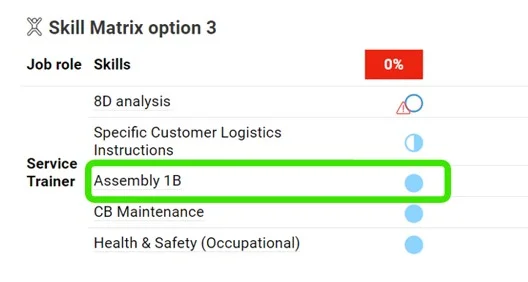
Check the changed status. The status is changed as shown below:
Still need help?
Write to us. We usually reply within an hour on business days.