行动的标记和标签
本文由英文机器翻译。 当前显示英文原文。
To highlight an action or put it into a group of actions that can be filtered, use flags or labels.
Flags
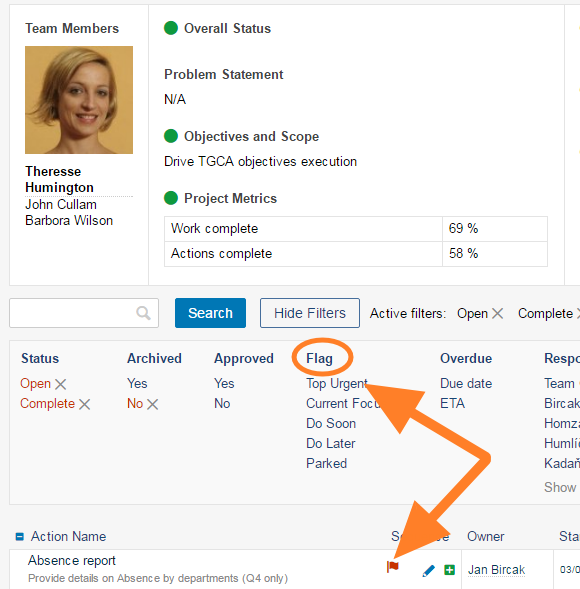
Available flags
Flags are predefined in the system configuration and cannot be changed at the action list level. All action lists have the same flags. There are 5 types of flags:
- Top Urgent
- Current Focus
- Do Soon
- Do Later
- Parked
Flag an action
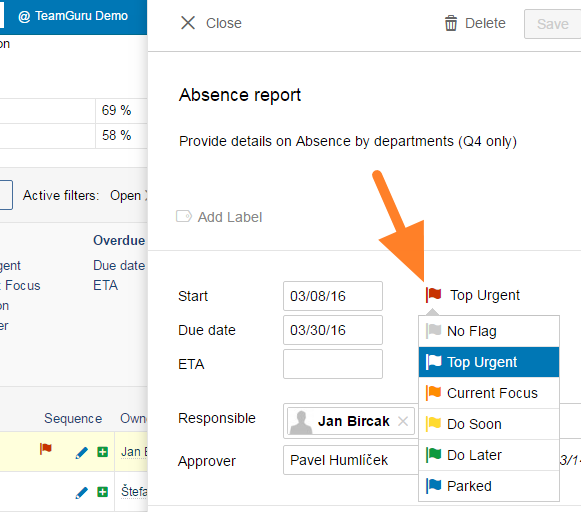
To mark an action with a flag, click the action name to open the action details and select a flag type. Then click Save or Save + Close.
Remove a flag
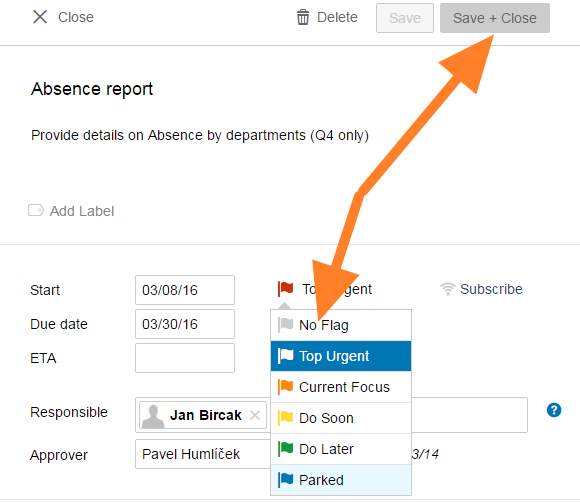
To remove a flag, open the action details, select No Flag and click Save + Close.
Labels
Default labels
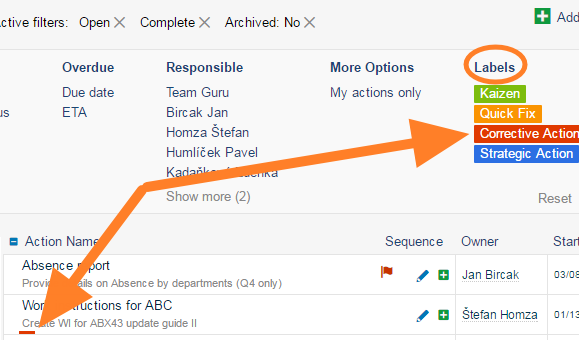
Labels are also predefined, but at the action list level you can change their names and colors or create new ones as required. The default settings provide 4 label types:
- Kaizen
- Quick Fix
- Corrective Action
- Strategic Action
Label an action
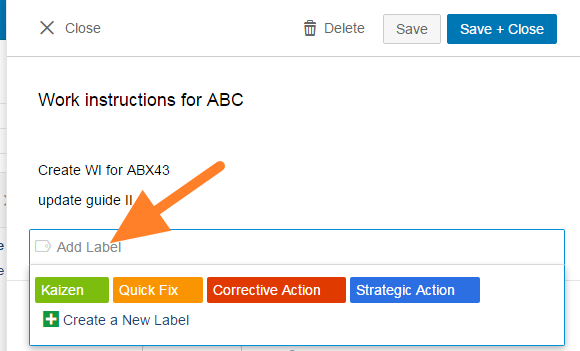
To mark an action with a label, click the action name to open the action details and click Add Label. Select one of the existing labels or click Create New Label.
Remove a label
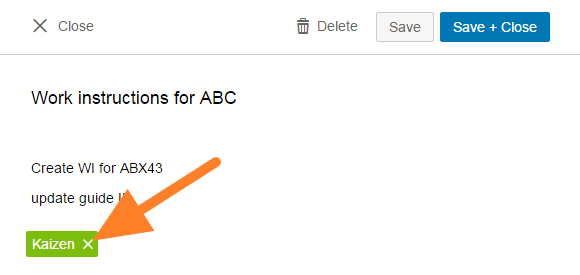
To remove a label, open the action details and click the cross on the label.
Edit a label
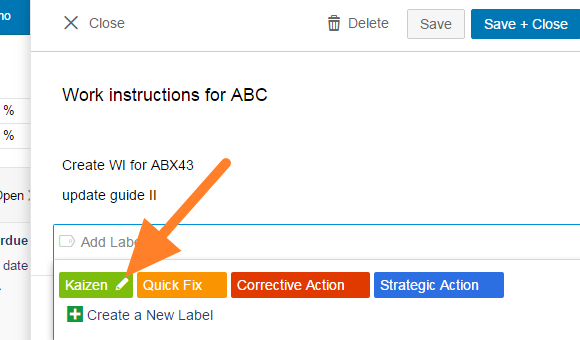
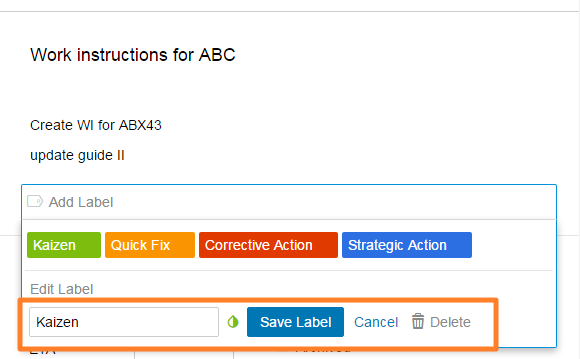
To edit (rename, change the color of or delete) an existing label, hover over the label and click the edit pencil.
The edit options then appear, as shown below.
要突出显示某个行动,或将其归入可筛选的行动组,请使用 标记 或 标签。
标记
可用标记
标记在系统配置中预先定义,无法在行动清单层级更改。所有行动清单使用相同的标记。标记共有5种:
- 最紧急
- 当前重点
- 尽快处理
- 稍后处理
- 搁置
为行动添加标记
要为行动添加标记,请点击行动名称打开行动详情,选择一种标记类型,然后点击 保存 或 保存并关闭。
移除标记
要移除标记,请打开行动详情,选择 无标记,然后点击 保存并关闭。
标签
默认标签
标签同样是预先定义的,但您可以在行动清单层级根据需要更改标签名称和颜色,或创建新标签。默认提供4种标签:
- Kaizen
- 快速修复
- 纠正措施
- 战略行动
为行动添加标签
要为行动添加标签,请点击行动名称打开行动详情,然后点击 添加标签。选择一个现有标签,或点击 新建标签。
移除标签
要移除标签,请打开行动详情,点击标签上的叉号。
编辑标签
要编辑现有标签(重命名、更改颜色或删除),请将鼠标悬停在标签上,然后点击编辑铅笔图标。
随后会显示编辑选项,如下图所示。
还需要帮助吗?
请给我们留言。工作日我们通常会在一小时内回复。