文档附件
本文由英文机器翻译。 当前显示英文原文。
Every document can have multiple attachments. The attachments are connected to the latest document version, so if you need to change an attachment or add a new one, you need to create a new document version.
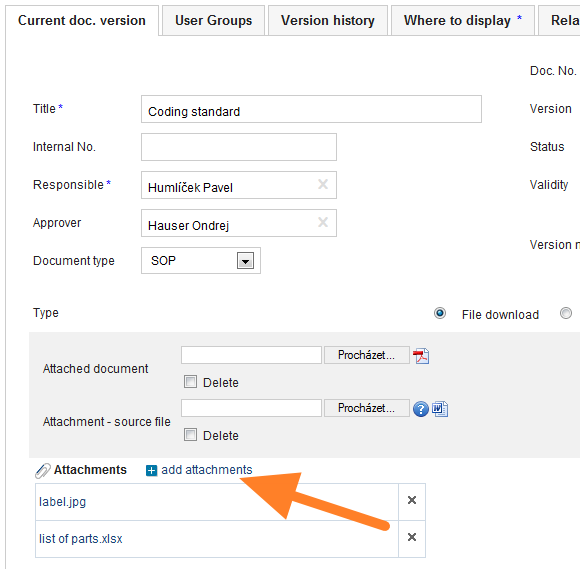
Add attachments
Add document attachments on the document edit screen by clicking add attachments.
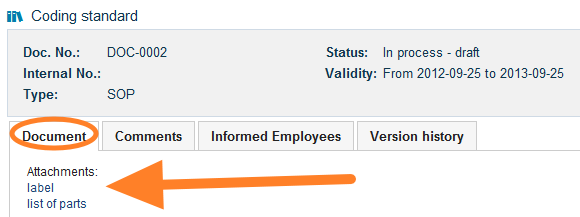
View the attachments
All the attachments are listed on the first document screen (the document tab).
每份文档都可以有多个附件。附件与文档的最新版本关联,因此如需更改附件或添加新附件,需要创建新的文档版本。
添加附件
在文档编辑界面中点击 添加附件,添加文档附件。
查看附件
所有附件都列在文档的第一个界面(文档选项卡)中。
还需要帮助吗?
请给我们留言。工作日我们通常会在一小时内回复。