How to create a new document version
Once a document is approved, it can no longer be edited. If you need to make any changes to the document, you have to create a new version.
-
Open the edit screen. Go to the document edit screen by clicking the Edit icon.
-
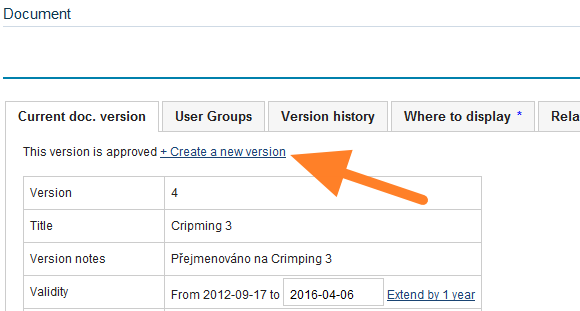
Create a new version. Click Create a new version.
-
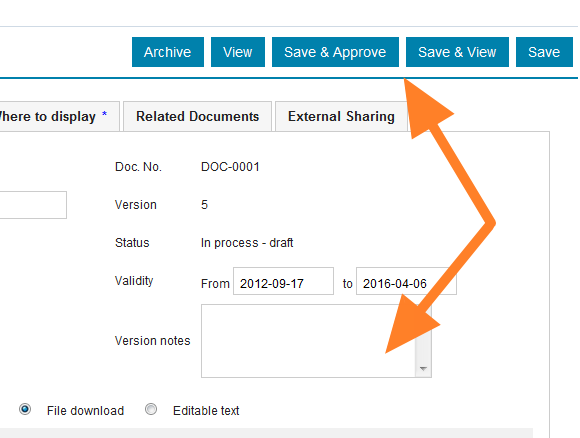
Make the changes. Make the necessary changes and add any version notes.
-
Save the version. Click Save & View if more changes need to be made, as the document still stays among the drafts. Or click Save & Approve if the document is complete and can become active.
Still need help?
Write to us. We usually reply within an hour on business days.