如何创建新的文档版本
本文由英文机器翻译。 当前显示英文原文。
Once a document is approved, it can no longer be edited. If you need to make any changes to the document, you have to create a new version.
-
Open the edit screen. Go to the document edit screen by clicking the Edit icon.
-
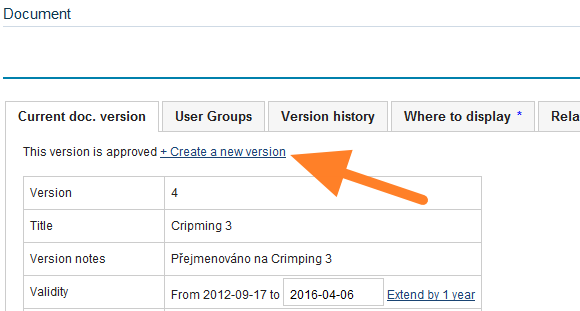
Create a new version. Click Create a new version.
-
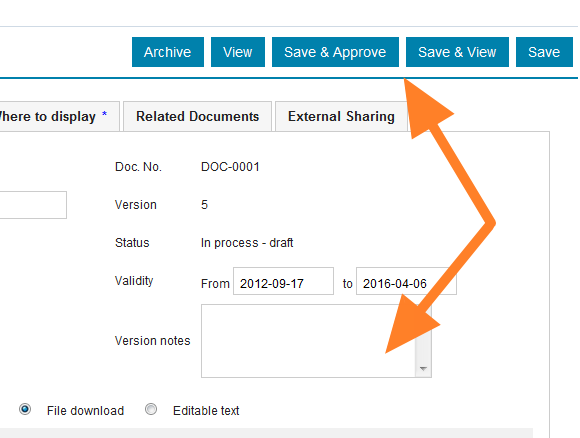
Make the changes. Make the necessary changes and add any version notes.
-
Save the version. Click Save & View if more changes need to be made, as the document still stays among the drafts. Or click Save & Approve if the document is complete and can become active.
文档获得批准后就无法再编辑。如需对文档进行任何更改,必须创建新版本。
-
打开编辑界面。 点击 编辑 图标,进入文档编辑界面。
-
创建新版本。 点击 创建新版本。
-
进行更改。 进行必要的更改,并添加版本说明。
-
保存版本。 如果还需要进一步修改,请点击 保存并查看,文档仍会保留在草稿中。如果文档已完成并可以生效,请点击 保存并批准。
还需要帮助吗?
请给我们留言。工作日我们通常会在一小时内回复。