忘记密码怎么办?
本文由英文机器翻译。 当前显示英文原文。
-
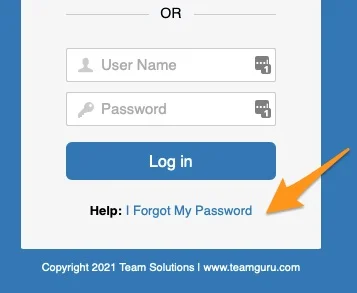
Open the password reset. Click the I forgot my password link on the login page.
-
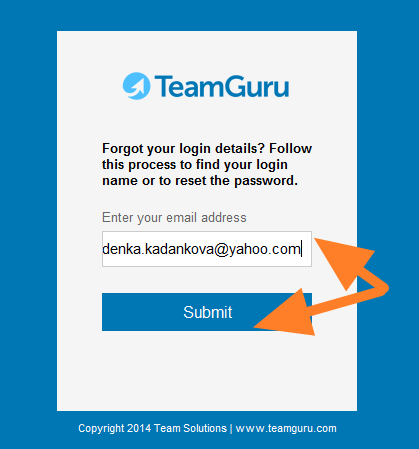
Enter your email address. Enter your email address and click Submit.
-
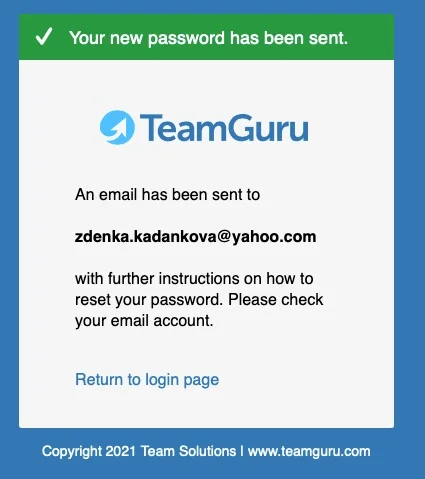
Check the confirmation. A confirmation message tells you that an email has been sent to you.
-
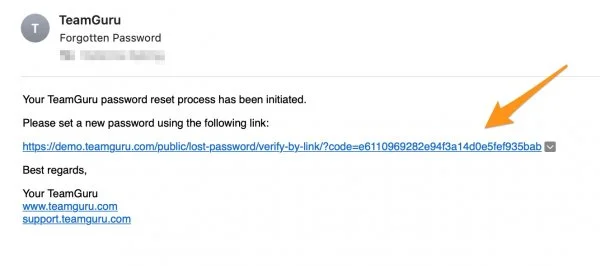
Open the reset link. You receive an email with a link to reset your password.
-
Set a new password. Set up your new password.
-
打开密码重置。 在登录页面点击 忘记密码 链接。
-
输入电子邮件地址。 输入您的电子邮件地址,然后点击 提交。
-
查看确认信息。 系统会显示确认消息,告知您邮件已发送。
-
打开重置链接。 您会收到一封包含密码重置链接的电子邮件。
-
设置新密码。 设置您的新密码。
还需要帮助吗?
请给我们留言。工作日我们通常会在一小时内回复。