Zabudli ste heslo? Čo robiť
Strojový preklad z angličtiny. Zobrazený je anglický originál.
-
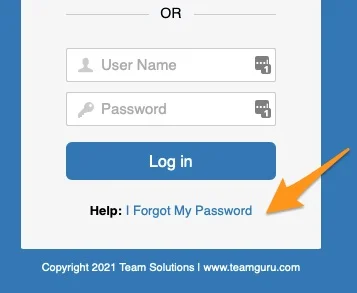
Open the password reset. Click the I forgot my password link on the login page.
-
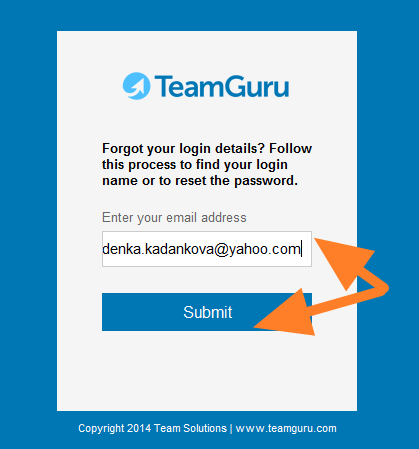
Enter your email address. Enter your email address and click Submit.
-
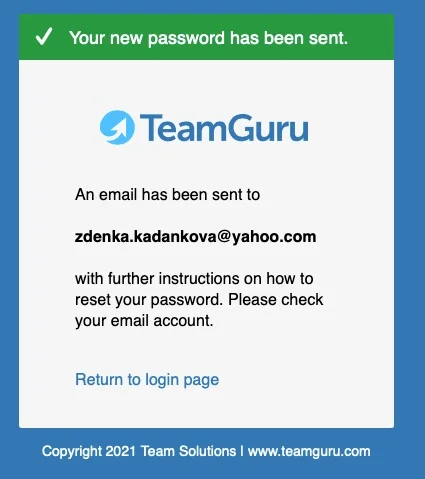
Check the confirmation. A confirmation message tells you that an email has been sent to you.
-
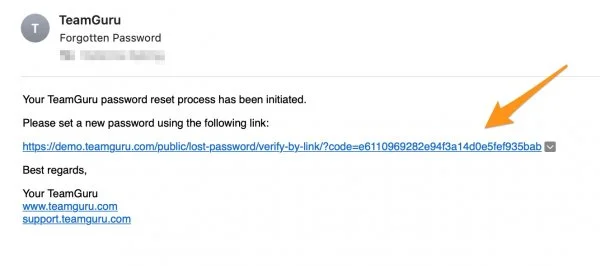
Open the reset link. You receive an email with a link to reset your password.
-
Set a new password. Set up your new password.
-
Otvorte obnovenie hesla. Na prihlasovacej stránke kliknite na odkaz Zabudnuté heslo.
-
Zadajte e-mailovú adresu. Zadajte svoju e-mailovú adresu a kliknite na Odoslať.
-
Skontrolujte potvrdenie. Potvrdzujúca správa vám oznámi, že vám bol odoslaný e-mail.
-
Otvorte odkaz na obnovenie. Dostanete e-mail s odkazom na obnovenie hesla.
-
Nastavte nové heslo. Nastavte si nové heslo.
Potrebujete ďalšiu pomoc?
Napíšte nám. V pracovné dni zvyčajne odpovedáme do hodiny.