Add Milestones to Your Project
Set up milestones to easily visualize your project’s development.
See milestones in your project
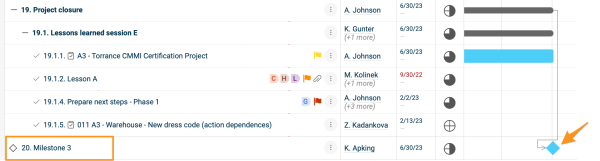
Add a milestone action
-
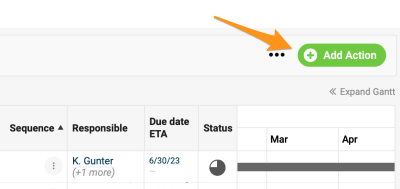
Open the action. Create a new action or open the settings of an existing one. Please note that a main action with sub-actions can’t be set up as a milestone.
-
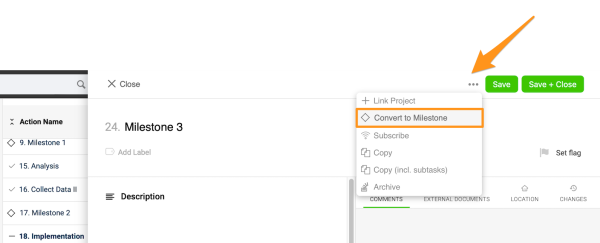
Convert it to a milestone. Click the three dots in the action settings and select Convert to Milestone. You can enter other details, such as the title, due date, etc.
-
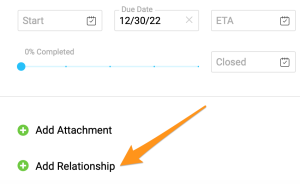
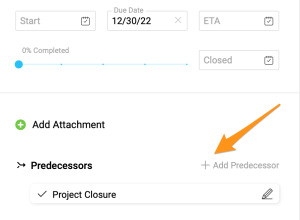
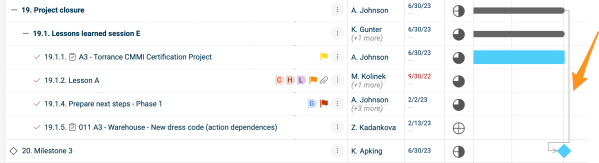
Connect predecessors. To connect the milestone with predecessors, click + Add Relationship, then + Add Predecessor, and choose the action(s). The connection is displayed in your Gantt chart. Please note that the latest due date of the predecessors automatically becomes the due date of the milestone action.
-
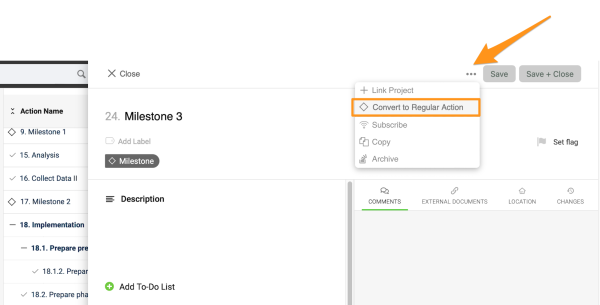
Convert it back if needed. To turn the milestone back into a regular action, click the three dots again and select Convert to Regular Action.
Spot overdue milestones
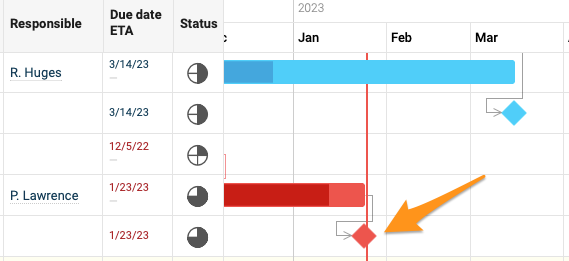
If a milestone action becomes overdue, it turns red.
Still need help?
Write to us. We usually reply within an hour on business days.