Pridanie míľnikov do projektu
Strojový preklad z angličtiny. Zobrazený je anglický originál.
Set up milestones to easily visualize your project’s development.
See milestones in your project
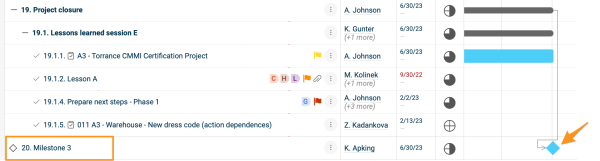
Add a milestone action
-
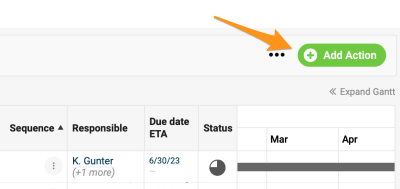
Open the action. Create a new action or open the settings of an existing one. Please note that a main action with sub-actions can’t be set up as a milestone.
-
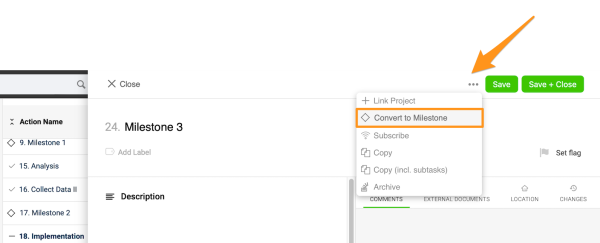
Convert it to a milestone. Click the three dots in the action settings and select Convert to Milestone. You can enter other details, such as the title, due date, etc.
-
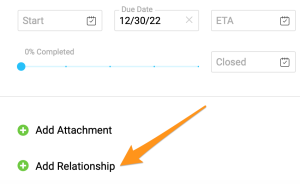
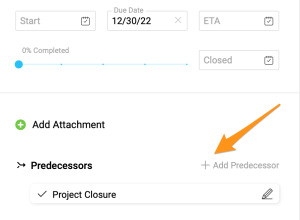
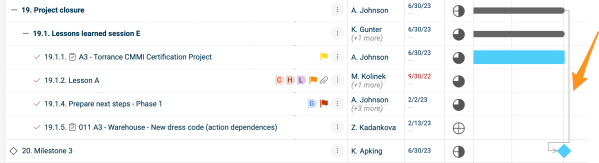
Connect predecessors. To connect the milestone with predecessors, click + Add Relationship, then + Add Predecessor, and choose the action(s). The connection is displayed in your Gantt chart. Please note that the latest due date of the predecessors automatically becomes the due date of the milestone action.
-
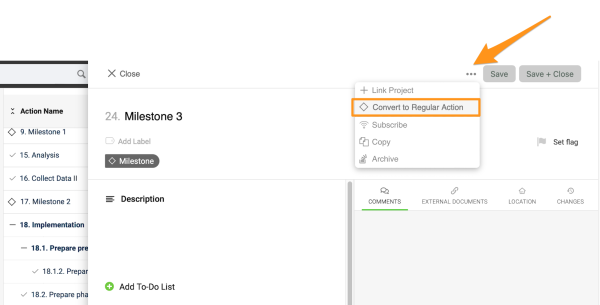
Convert it back if needed. To turn the milestone back into a regular action, click the three dots again and select Convert to Regular Action.
Spot overdue milestones
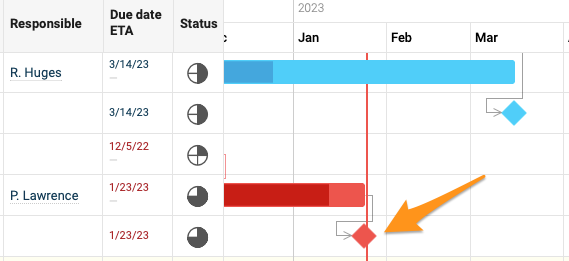
If a milestone action becomes overdue, it turns red.
Nastavte si míľniky a vývoj projektu budete mať jasne na očiach.
Pozrite si míľniky v projekte
Pridajte akciu typu míľnik
-
Otvorte akciu. Vytvorte novú akciu alebo otvorte nastavenia existujúcej. Hlavnú akciu s podakciami nie je možné nastaviť ako míľnik.
-
Preveďte ju na míľnik. V nastaveniach akcie kliknite na tri bodky a vyberte Previesť na míľnik. Môžete zadať aj ďalšie údaje, napríklad názov, termín a pod.
-
Prepojte predchodcov. Ak chcete míľnik prepojiť s predchodcami, kliknite na + Pridať väzbu, potom na + Pridať predchodcu a vyberte akciu alebo akcie. Prepojenie sa zobrazí v Ganttovom diagrame. Termínom míľnika sa automaticky stane najneskorší termín jeho predchodcov.
-
V prípade potreby ju preveďte späť. Ak chcete z míľnika znovu urobiť bežnú akciu, kliknite opäť na tri bodky a vyberte Previesť na bežnú akciu.
Sledujte míľniky po termíne
Keď je míľnik po termíne, zobrazí sa načerveno.
Potrebujete ďalšiu pomoc?
Napíšte nám. V pracovné dni zvyčajne odpovedáme do hodiny.