How to copy an action with subtasks in an action list
You can copy an action and its subtasks within the same action list.
Copy and paste an action
Copy the action
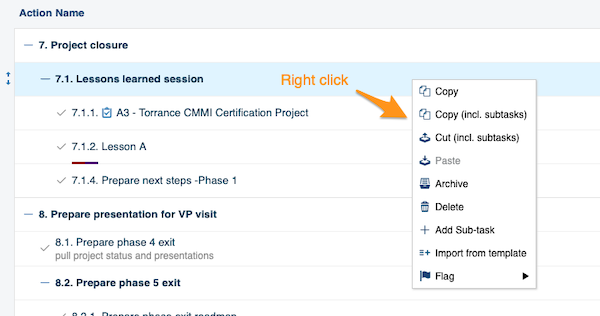
Right-click the action you want to copy and select the operation you need from the menu (copy, copy including subtasks, etc.).
Paste the action
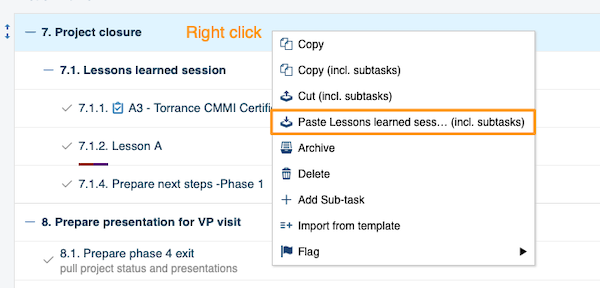
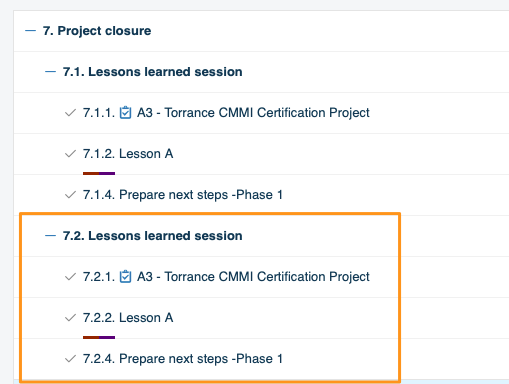
Right-click the action where you want to paste it and choose Paste.
Move the copy to the main action level
-
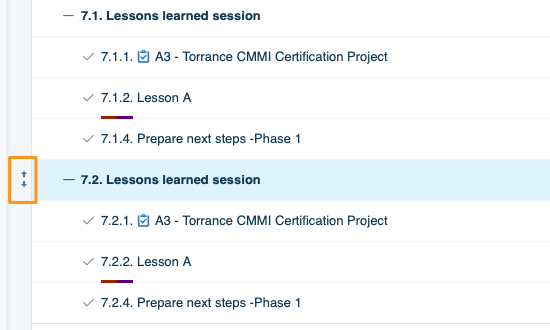
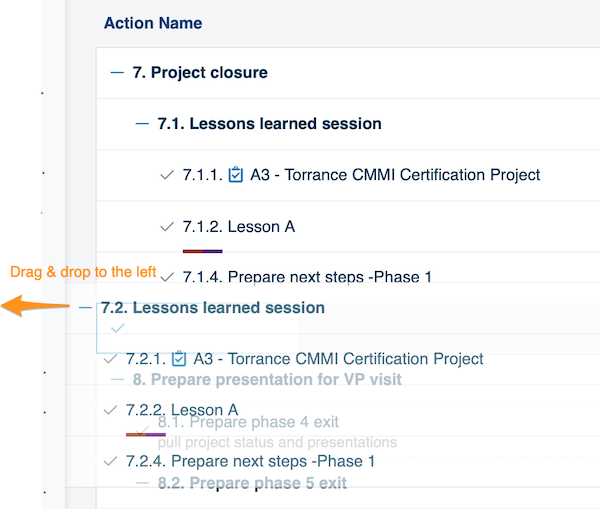
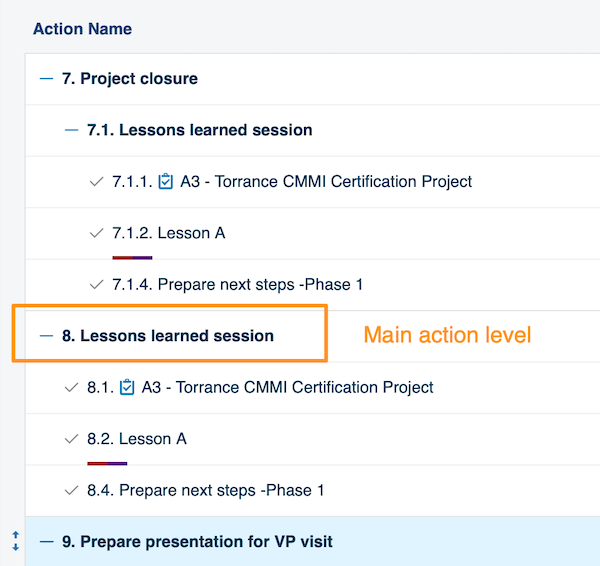
Paste it under a main action. To paste an action at the main action level (the same level as 7. Project closure in the image above), you need two steps. First paste the action under that main action (in our example, 7. Project closure). Then hover over it until the drag and drop arrows appear on the left side of the action.
-
Drag it to the left. Drag the action to the left.
The action is now displayed at the main action level.
Still need help?
Write to us. We usually reply within an hour on business days.