Cómo copiar una acción con sus subtareas en un plan de acción
Traducción automática del inglés. Se muestra el original en inglés.
You can copy an action and its subtasks within the same action list.
Copy and paste an action
Copy the action
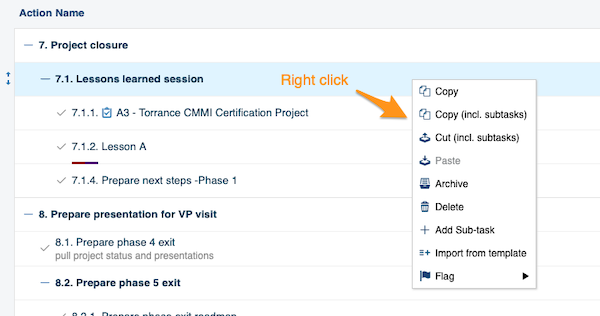
Right-click the action you want to copy and select the operation you need from the menu (copy, copy including subtasks, etc.).
Paste the action
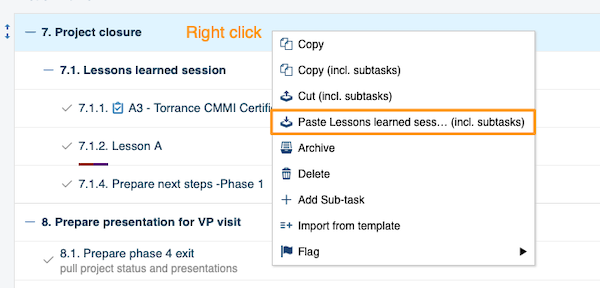
Right-click the action where you want to paste it and choose Paste.
Move the copy to the main action level
-
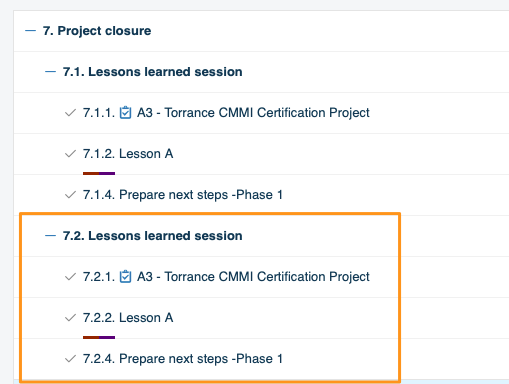
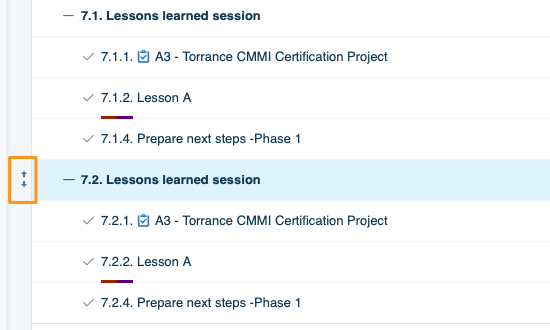
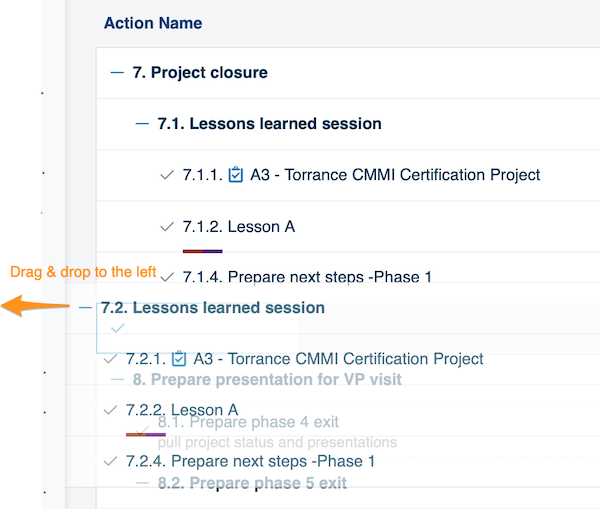
Paste it under a main action. To paste an action at the main action level (the same level as 7. Project closure in the image above), you need two steps. First paste the action under that main action (in our example, 7. Project closure). Then hover over it until the drag and drop arrows appear on the left side of the action.
-
Drag it to the left. Drag the action to the left.
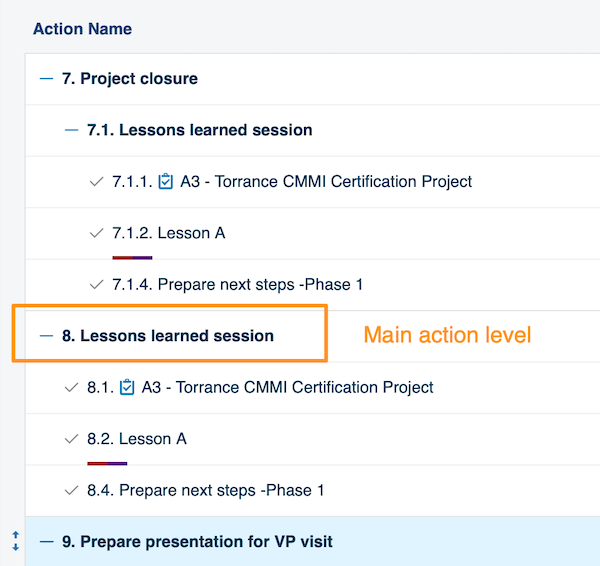
The action is now displayed at the main action level.
Puede copiar una acción y sus subtareas dentro del mismo plan de acción.
Copiar y pegar una acción
Copiar la acción
Haga clic derecho en la acción que quiere copiar y seleccione en el menú la operación que necesite (copiar, copiar con subtareas, etc.).
Pegar la acción
Haga clic derecho en la acción donde quiere pegarla y elija Pegar.
Mover la copia al nivel de acción principal
-
Péguela debajo de una acción principal. Para pegar una acción en el nivel de acción principal (el mismo nivel que 7. Cierre del proyecto en la imagen de arriba), necesita dos pasos. Primero pegue la acción debajo de esa acción principal (en nuestro ejemplo, 7. Cierre del proyecto). Después pase el cursor sobre ella hasta que aparezcan las flechas para arrastrar y soltar a la izquierda de la acción.
-
Arrástrela a la izquierda. Arrastre la acción hacia la izquierda.
La acción aparece ahora en el nivel de acción principal.
¿Necesita más ayuda?
Escríbanos. En días laborables solemos responder en menos de una hora.