Copier une action avec ses sous-tâches dans un plan d'action
Traduction automatique de l'anglais. Original en anglais affiché.
You can copy an action and its subtasks within the same action list.
Copy and paste an action
Copy the action
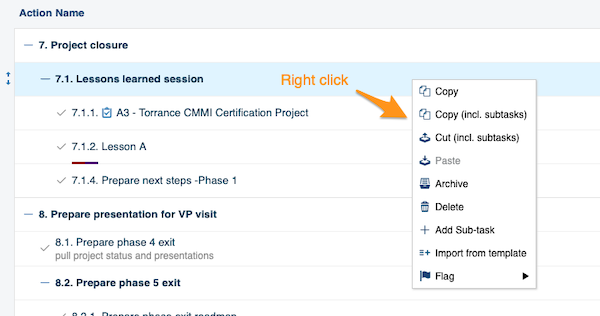
Right-click the action you want to copy and select the operation you need from the menu (copy, copy including subtasks, etc.).
Paste the action
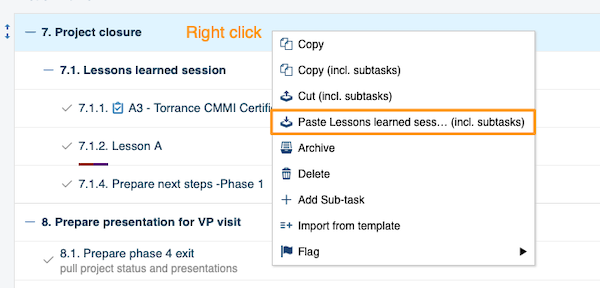
Right-click the action where you want to paste it and choose Paste.
Move the copy to the main action level
-
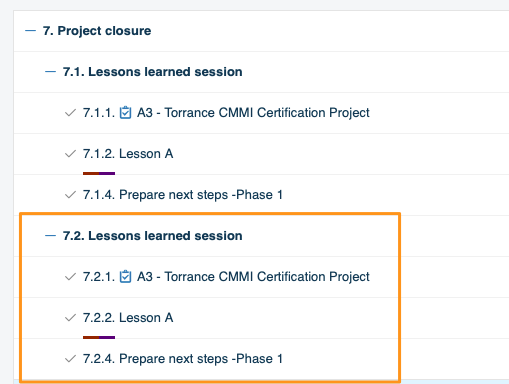
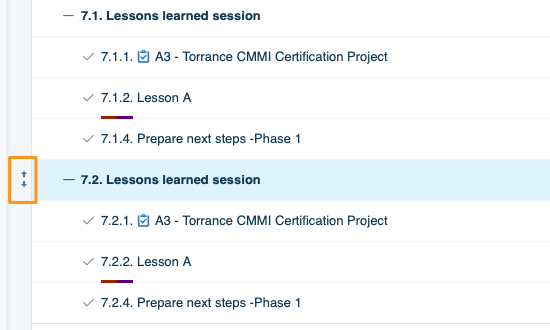
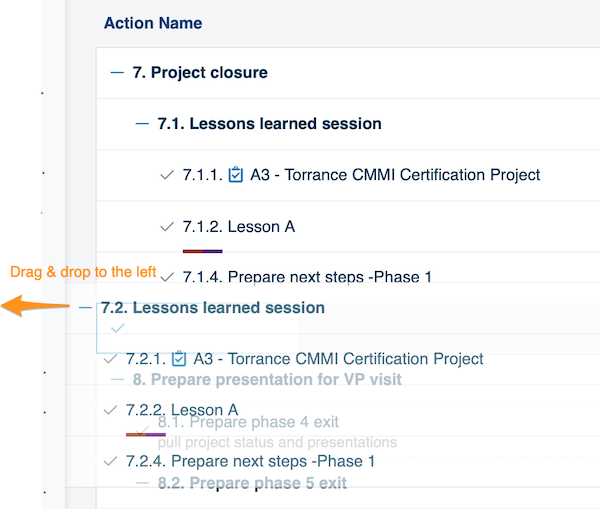
Paste it under a main action. To paste an action at the main action level (the same level as 7. Project closure in the image above), you need two steps. First paste the action under that main action (in our example, 7. Project closure). Then hover over it until the drag and drop arrows appear on the left side of the action.
-
Drag it to the left. Drag the action to the left.
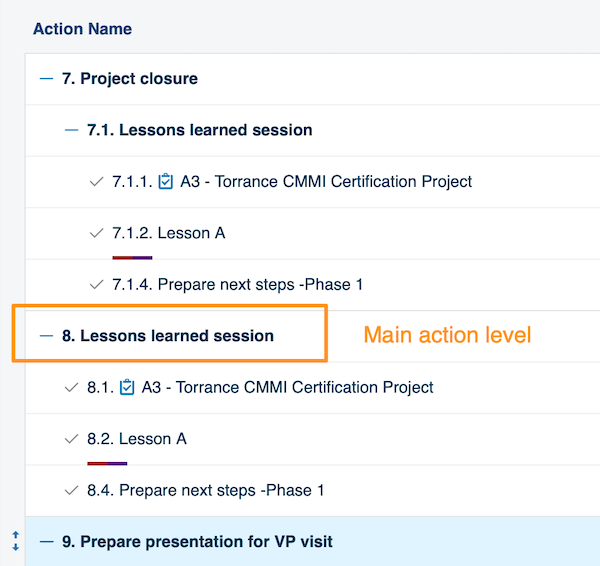
The action is now displayed at the main action level.
Vous pouvez copier une action et ses sous-tâches au sein du même plan d’action.
Copier et coller une action
Copier l’action
Faites un clic droit sur l’action à copier et choisissez l’opération voulue dans le menu (copier, copier avec les sous-tâches, etc.).
Coller l’action
Faites un clic droit sur l’action à l’endroit où vous voulez la coller et choisissez Coller.
Placer la copie au niveau des actions principales
-
Collez-la sous une action principale. Pour coller une action au niveau des actions principales (le même niveau que 7. Clôture du projet sur l’image ci-dessus), il faut deux étapes. Collez d’abord l’action sous cette action principale (dans notre exemple, 7. Clôture du projet). Survolez-la ensuite jusqu’à ce que les flèches de glisser-déposer apparaissent à sa gauche.
-
Faites-la glisser vers la gauche. Faites glisser l’action vers la gauche.
L’action s’affiche maintenant au niveau des actions principales.
Besoin d'aide supplémentaire ?
Écrivez-nous. Les jours ouvrés, nous répondons en général en moins d'une heure.