如何在行动清单中复制带子任务的行动
本文由英文机器翻译。 当前显示英文原文。
You can copy an action and its subtasks within the same action list.
Copy and paste an action
Copy the action
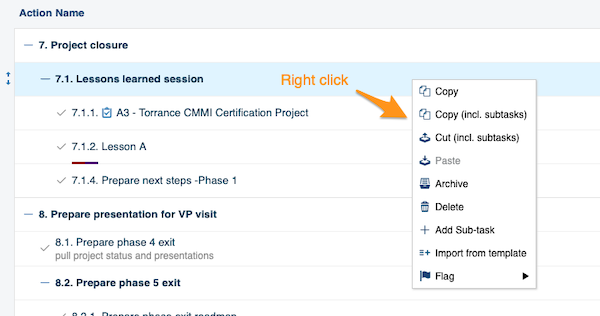
Right-click the action you want to copy and select the operation you need from the menu (copy, copy including subtasks, etc.).
Paste the action
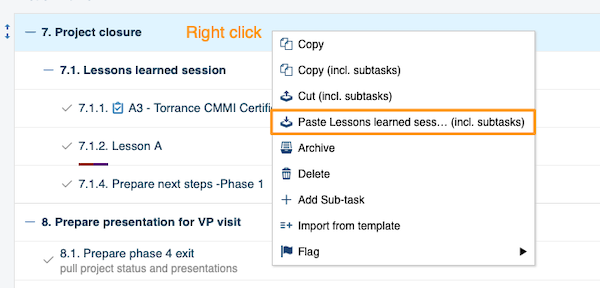
Right-click the action where you want to paste it and choose Paste.
Move the copy to the main action level
-
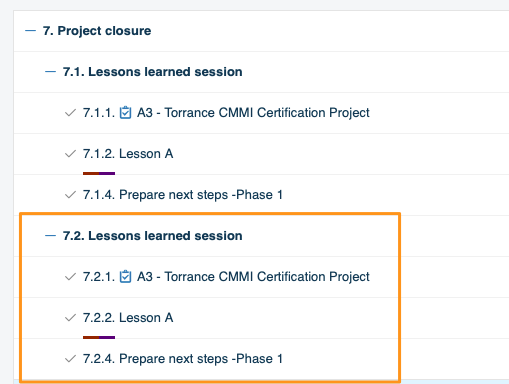
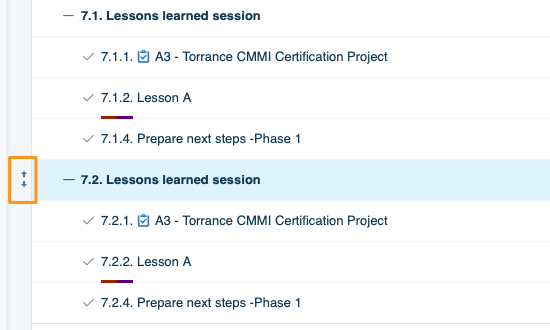
Paste it under a main action. To paste an action at the main action level (the same level as 7. Project closure in the image above), you need two steps. First paste the action under that main action (in our example, 7. Project closure). Then hover over it until the drag and drop arrows appear on the left side of the action.
-
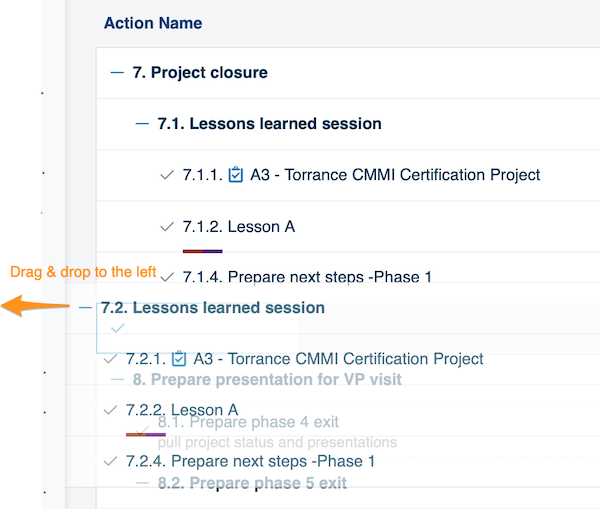
Drag it to the left. Drag the action to the left.
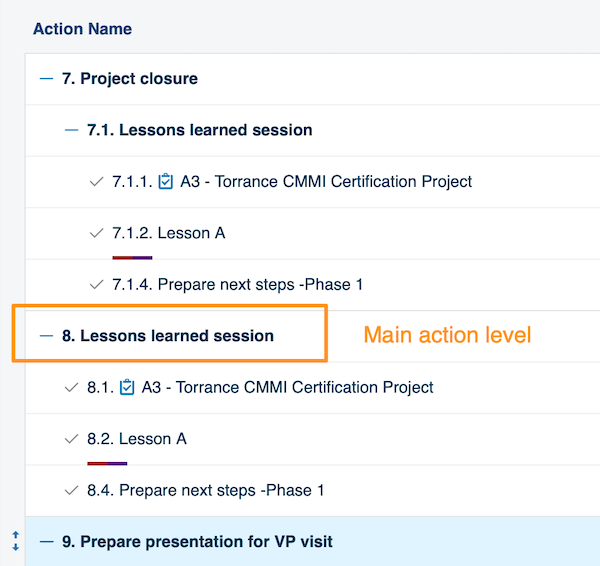
The action is now displayed at the main action level.
您可以在同一个行动清单中复制行动及其子任务。
复制并粘贴行动
复制行动
右键单击要复制的行动,从菜单中选择所需操作(复制、连同子任务一起复制等)。
粘贴行动
右键单击要粘贴到的位置所在的行动,选择粘贴。
将副本移到主行动层级
-
粘贴到主行动下方。 要将行动粘贴到主行动层级(与上图中7. 项目收尾同一层级),需要分两步操作。先将行动粘贴到该主行动下(本例中为7. 项目收尾)。然后将鼠标悬停在该行动上,直到其左侧出现拖放箭头。
-
向左拖动。 将行动向左拖动。
该行动现在显示在主行动层级。
还需要帮助吗?
请给我们留言。工作日我们通常会在一小时内回复。