Where to make a note of a particular version hard copies distribution
If a document has to be distributed in hard copies as well, you can make a note of the distribution for each document version.
-
Open the document.
-
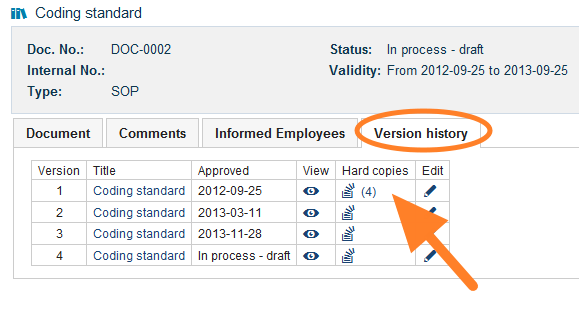
Go to the version history. Open the Version history tab.
-
Open the hard copies. Click the Hard copies icon.
-
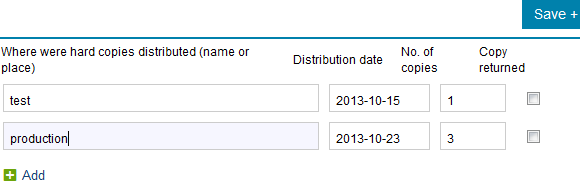
Record the distribution. Write the name or the place where the hard copies were distributed, and enter the date and the number of copies.
Still need help?
Write to us. We usually reply within an hour on business days.