Kde zaznamenat distribuci tištěných kopií konkrétní verze
Strojový překlad z angličtiny. Zobrazen anglický originál.
If a document has to be distributed in hard copies as well, you can make a note of the distribution for each document version.
-
Open the document.
-
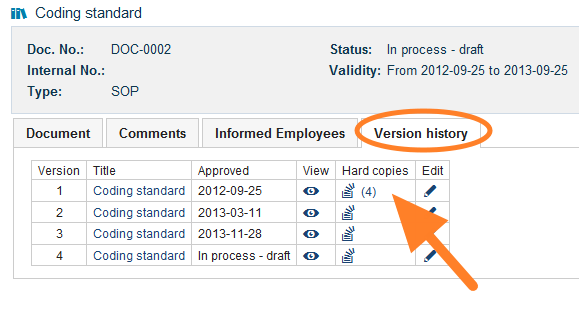
Go to the version history. Open the Version history tab.
-
Open the hard copies. Click the Hard copies icon.
-
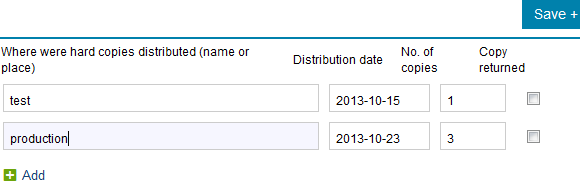
Record the distribution. Write the name or the place where the hard copies were distributed, and enter the date and the number of copies.
Pokud se dokument distribuuje i v tištěné podobě, můžete si u každé verze dokumentu zaznamenat, kam byly kopie předány.
-
Otevřete dokument.
-
Přejděte do historie verzí. Otevřete záložku Historie verzí.
-
Otevřete tištěné kopie. Klikněte na ikonu Tištěné kopie.
-
Zaznamenejte distribuci. Zapište jméno nebo místo, kam byly tištěné kopie předány, a zadejte datum a počet kopií.
Potřebujete další pomoc?
Napište nám. V pracovní dny obvykle odpovídáme do hodiny.