Cómo crear un nuevo tipo de documento
Traducción automática del inglés. Se muestra el original en inglés.
Your documents can be of different types, e.g. SOPs, instructions, manuals, etc. Create a new type as follows.
Open the document types
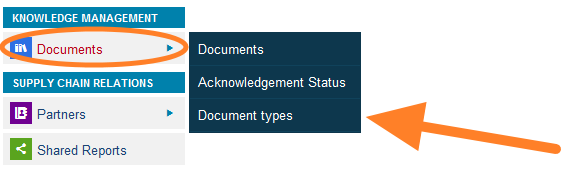
Go to the Documents menu and select the Document types submenu.
Add a new type
Click the Add icon and create a new document type.
Sus documentos pueden ser de distintos tipos, por ejemplo, SOP, instrucciones, manuales, etc. Cree un nuevo tipo así.
Abrir los tipos de documento
Abra el menú Documentos y elija el submenú Tipos de documento.
Agregar un nuevo tipo
Haga clic en el ícono Agregar y cree un nuevo tipo de documento.
¿Necesita más ayuda?
Escríbanos. En días laborables solemos responder en menos de una hora.