How to add an external link to a TeamGuru document
TeamGuru enables you to add a link to an external document or website.
Please note: to link documents within TeamGuru, see How to link TeamGuru documents.
-
Open the document edit screen. Click the Edit icon.

-
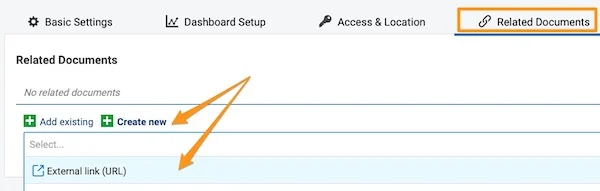
Go to the Related Documents tab. Open the Related Documents tab.
-
Add the external link. Click the green plus button Create new, select External Link and fill in the field.
-
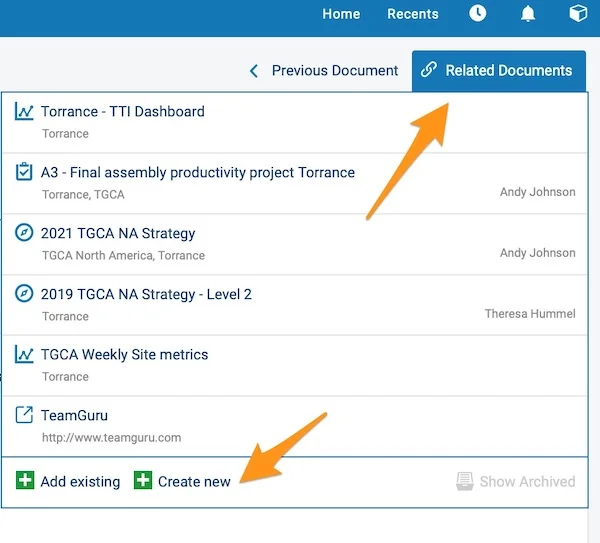
View your external links. Your external links are shown in the Related Documents section in the upper right corner above your document. You can also add an external link from here by following the same steps.
Still need help?
Write to us. We usually reply within an hour on business days.