How to link TeamGuru documents - Related Documents
All TeamGuru documents can be linked together for quick access to one another. You manage the links on the Related Documents tab of the document edit screen, and you can create as many as you need.
Link documents
-
Open the document edit screen. Click the Edit icon.
-
Go to the Related Documents tab. Select the Related Documents tab.
-
Find the document to link. Select a module and find your document in the directory (or create a new one).
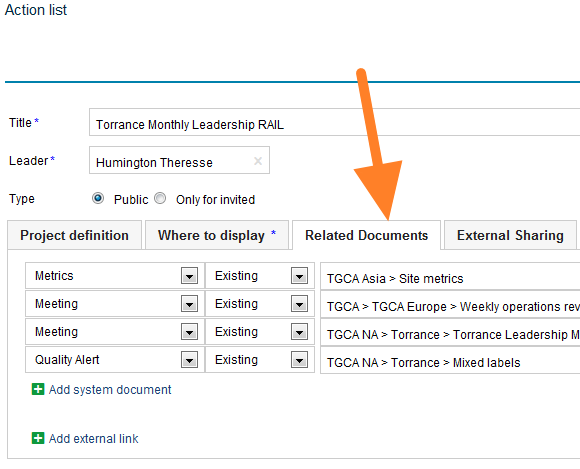
-
See your related documents. The linked documents are listed as related documents.
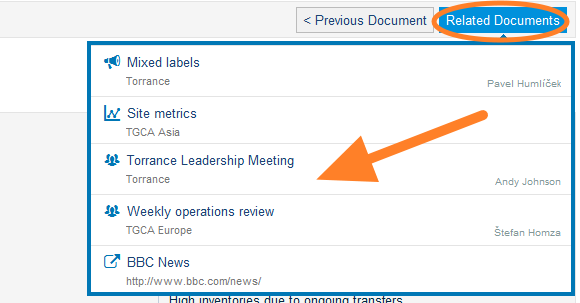
Note: If you need to add a link to an external document or a website, look here.
Display related documents as a list
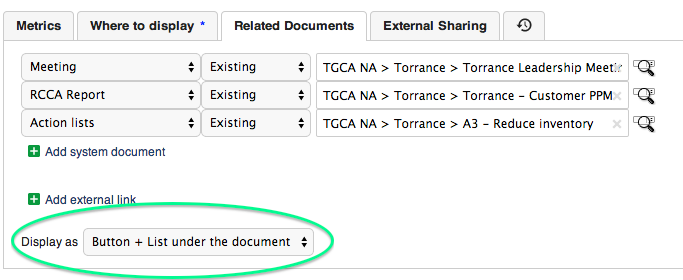
Choose the display option
Related documents can also be displayed as a list underneath the main document. To do this, select the Display as option as shown below:
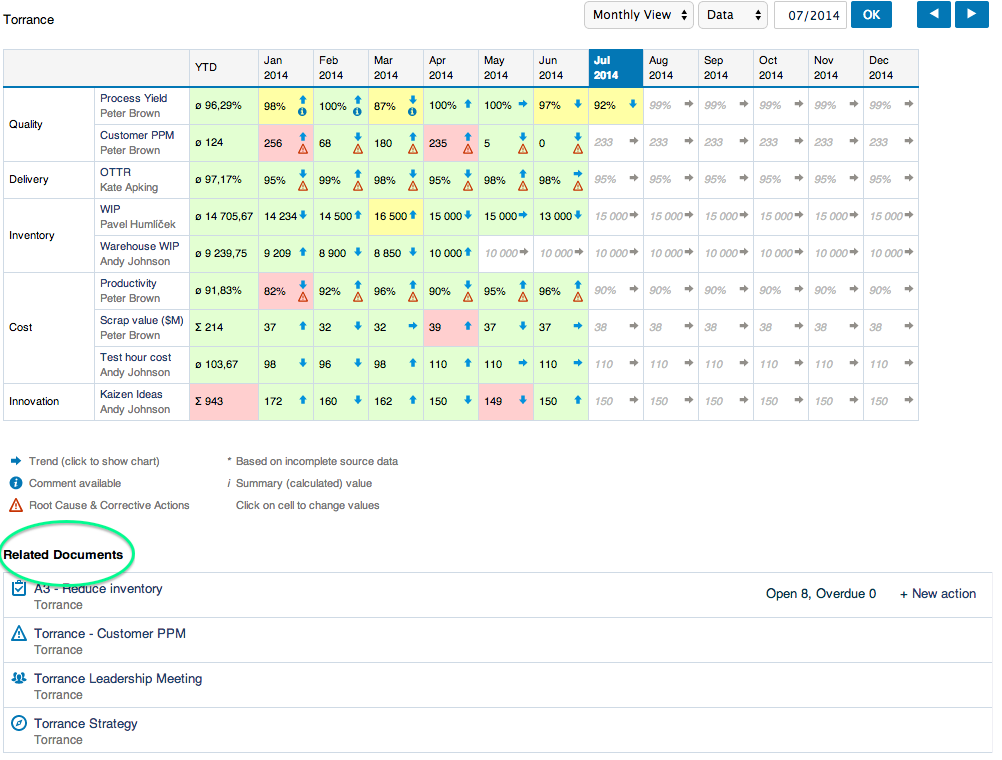
See the list under the document
The related documents are then listed in this format:
Still need help?
Write to us. We usually reply within an hour on business days.