How to export several documents to a zip file (PDF, XLS, PPT or PNG)?
Create a list of documents and export them all to a single zip file. This is recommended for users who need to export several documents on a regular basis.
Open your sets of documents
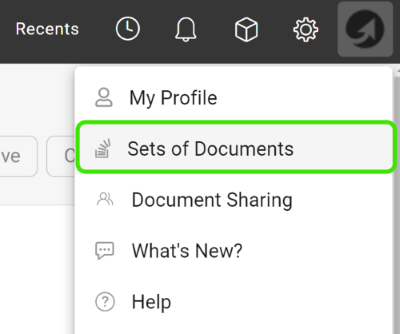
Click your profile and select Sets of Documents from the submenu.
Add a new set
Click the green plus icon to add a set.

Choose the documents and export types
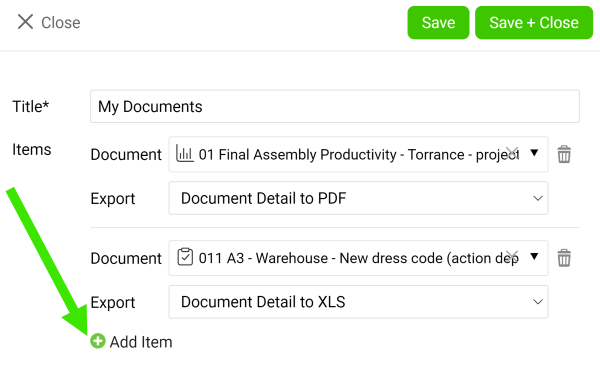
Enter a title, then choose a document and its export type (PDF, XLS, PPT or PNG). Add as many documents as you need with the green plus icon Add item. Once you are done, click the Save & Close button.
Download the zip file
Click the Download all as Zip file icon.

You can also download attachments from your dashboard to a zip file.
Still need help?
Write to us. We usually reply within an hour on business days.